You might like:


About this App
Video to Mp3 Converter helps you easily trim video and extract mp3 from video
Video to Audio Converter & MP3 Cutter is a fast, lightweight and all-in-one media editing app with Video Converter, Video Trimmer, Audio Extractor, Audio Cutter & Ringtone Maker. It helps you easily cut, convert and adjust the video & audio files in various formats at will. Using this professional Mp4 to Mp3 Converter, you can quickly extract audio from your video, convert MP4 to MP3, trim audio and video, change formats, merge audio and create your unique ringtones.
Video to Mp3 Converter & Audio Cutter provides everything you want to transform video to audio, edit video and audio. It supports batch processing, allowing you to convert multiple files simultaneously. Additionally, VTA Converter offers various customization options, such as adjusting the output format, bit rate, sample rate, and audio quality. Video to Audio Converter & Cutter will be the best solution for all your video-to-audio conversion and editing endeavors.
🎵Smart Audio Extractor - Video to Audio Converter
* Extract music from video, convert MP4 to MP3, create your own soundtrack
* Batch operation, up to 10 video clips can be converted to audio at one time
* Convert all popular video formats: MKV, MP4, M4V, AVI, MOV, 3GP, FLV, WMV, MPG, M3U, etc.
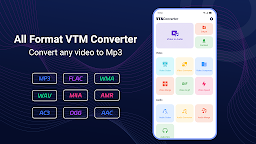
* Support all major formats of output audio: MP3, WAV, M4A, FLAC, AAC, OGG, WMA, AIFF, etc.
* Set fade in and fade out effects and change volume for each output audio file
* Personalize your phone ringtones with high quality
📺Powerful Video Editor & Mp4 Cutter
* Video Cutter: Trim, cut, split video files to get your favorite video clips fast
* Video Converter: Configure video attributes including format, resolution, frame rate, and aspect ratio
* Video Compressor: Compress a video from GB to MB or KB while keeping the original quality
* Video Merger: Merge multiple videos into one video in sequential
* Video to Gif: Turn memorable video moments into GIFs
* Video Speed: Change video speed from 0.25x to 4x, create fast/slow motion video
🎧Excellent Audio Editor & Sound Merger
* Audio Cutter: Cut segments of audio files, perfect for creating podcasts, ringtones, or alarms.
* Audio Converter: Customize audio settings like the out format, bit rate, or sample rate, etc.
* Audio Merger: Merge or join any number of audio files into a single cohesive file
* Audio Mixer: Mix two audios in any format to create a new mix
💖More Features for Video to Audio Converter & Cutter
☆ Converter from any video format to MP3
☆ Change formats of media files with ease
☆ Cut video and audio with high precision
☆ Background conversion and batch Conversion
☆ Support many sample rate from 8000 Hz to 48000 Hz
☆ Manage your exported audio and video files
☆ Inbuilt music player for playing music clips any time
☆ Delete or view Audio and Video directly from app
☆ Set as ringtone, alarm or notification
☆ Share your creations with your friends
☆ Simple and easy operation
☆ No Watermark on video
Say goodbye to complicated video editing software and hello to the convenience and creativity of Video to Audio Converter & Cutter. Get started today and experience the joy of creating stunning audio files from your videos. Whether you're a music lover, a podcaster, or just someone who wants to enjoy their favorite videos in audio format, this app will be the perfect companion for all your audio needs.
Download it right now and unlock the full potential of your multimedia content!