Featured Banner
Icon

WorkingHours - Time Tracking

© Timo Partl

4.8 406745

Source: Google Play Store

Category: Business

Price: Free

Content Rating: for everyone

Requires: Android 8.0+

Released on: 2017-09-20

Last Updated: 2025-06-26

We have detected a new version and it is being updated in the background. Please [refresh the page] later.

(The more people request, the faster it may be included)

☑ We will notify you as soon as the App is available. If you can't receive notifications, please check back often.

About this App

Time tracker for all devices. Excel export, GPS geofence, Pomodoro, invoices...
Easily track your work hours - organize, analyze and export them. Perfect for freelancer, hourly workers, employees or anyone else who wants to keep track of his or her working time.

• Cross-platform time card / work log app, works for all your devices (Android, Windows, iOS, macOS) incl. Cloud sync
• Use your own Cloud storage for the sync (OneDrive, Google Drive, Dropbox, iCloud, WebDAV)
• Start/pause/stop your working time without opening the app - via widget & notification
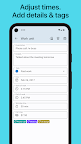
• Edit your work units afterwards to correct mistakes
• Assign tasks or tags to work units
• Data export as Excel sheet, CSV file & PDF invoice
• Auto-start/stop when arriving/leaving the work place using GPS geofencing
• Special tags allow adjustments of the worked time and earnings
• Filter work units by tag and task
• Analyze working time and earnings via graphs
• Control the timer with NFC tags
• Calendar integration: convert your appointments to tracked work time
• Be productive with the Pomodoro technique - WorkingHours reminds you when you finish a work session
• Free time tracking, better with Pro version. Free 7 day trial period included. One-time-purchase option available. License will be bound to App Store account. App licenses for other platforms need to be purchased separately.

WorkingHours: the easiest and fastest time tracking / timesheet app for all devices!

Screenshots

I'm not a robot

In order to block spam bots, we push you a notification with the following code. Please click on the notification to complete the verification.


Notifications may be slightly delayed, please wait a moment.

Or if your device is unable to receive notifications, you can also send us an email.

Tips:

Please allow [apkz.com] to show notifications. We will notify you as soon as the App is ready.

Um, Seems that the notification is not available.
Would you like to send requests and receive updates via email?

Tips:

After the download is successful, please use [APKZ App] to install it.


Unable to determine whether the file was saved successfully, please confirm it yourself before installing.

Tips:

Your browser is out of date and some features may not work properly, please change or upgrade your browser.


For a better user experience, it is recommended to use Google Chrome or Edge.

Tips:

If the download cannot be completed, please open this page in your browser.


For a better user experience, it is recommended to use Google Chrome or Edge.

Tips:

This App can only be installed on Android devices.