You might like:


About this App
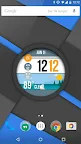
The largest watchface collection in the world! now for your phone wallpaper!
No smartwatch required!! Best clock wallpaper for Android!
Or if you do have a smartwatch, now you can have matching watch and phone themes!
WatchMaker Watch Face is the largest watch collection in the world with over 100,000 watch faces!
Now with WatchMaker Live Wallpaper you no longer need a smartwatch to enjoy these amazing designs!
Just install our new Wallpaper app, set your Live Wallpaper to WatchMaker and you can choose from the 6 built-in watches or download 1000's more.
Or use WatchMaker's powerful design tools and build your own watch in seconds!!
You can set the position of the watchface on your wallpaper in the settings by dragging or pinch and zoom!
Features exclusive to WatchMaker :
• Instant access to over $100 worth of watch faces from our MeWe page https://bit.ly/2ITrvII
• Select a color to suit your mood!
• Animated GIFs - Add custom animations to your watch face!
• 3d Gyroscope - Create an amazing parallax effect!
• Interactive Watches - Create hotspots to launch watch or phone apps!
• Animations - Create bright / dim / tap animations with 45 tweening functions!
• Calendar - Choose which calendars to show!
• Weather / Moon Icons - Add in 1-click!
• Countdowns - Days until your birthday, Christmas, etc!
• Cool Text Effects - Add glow, outline, even flat shadow!
• 1-Click Widgets - Including battery (watch/phone) + WiFi widgets!
• OpengGL Shaders - Powerful rendering for watch segments, radars
• Free Watches - Get 1000's of watchfaces from our huge MeWe community!
• Compass - Add rotating compass or bearing
• Stopwatch - Why design a watch when you can build a stopwatch?!
• Multiple Time Zone - Set up to 3 custom time zones
• Series of hours / minutes Zooper style!
• Heart rate and step counter for fitness
• Programmable Watches make calculator, stopwatches, countdowns, anything your like using in-built Lua programming engine!
• Time Machine - test your watch at any speed to see how it looks in the future!
Also features :
• Very low battery usage!
• 6 free watch faces
• 100s of new watches each week!
• Weather Data
• Smooth second hand - 50fps!
• Selection of analog and digital clocks!
• Get data from all phone sensors, accelerometer, etc.
🚀🚀 LIMITED TIME SALE! 50% OFF! 🚀🚀To get started, long press your homescreen -> select Wallpaper -> WatchMaker Live Wallpaper
App Permissions explained:
• WakeLock: allows watch app to update during ambient mode
• Write Internal Storage: To save images and fonts to watches
• Location: Local weather data
• Calendar: Local calendar events
• WiFi: display wifi signal strength
Join our Google+ / Reddit community and get free watches :
MEWE: https://bit.ly/2ITrvII
REDDIT: http://goo.gl/0b6up9
WIKI: http://goo.gl/Fc9Pz8
SUPPORT: http://goo.gl/NEzy6j
IDEAS: http://goo.gl/3dSrVJ
TAGS: http://goo.gl/VIdlHw
BETA: http://goo.gl/m6eIjT
LUA CODING: http://goo.gl/yn25dB
APK TEMPLATE: http://goo.gl/1MRqKi