You might like:


About this App
Photo editor & collage maker app with music, grid, filter, sticker, text, cutout
CollageLab - Collage Maker is the best photo collage and photo editor app to help you make funny photo grid & collage effects.
With CollageLab, you can create perfect photo collage animation with Music and export Video or GIF.
You can also pick layout and edit collage with music, animated stickers, filter and texts.
Best photo collage maker app with grid, music🎶, text, filter, frame, sticker.
Key Features:
● Combine photos with amazing layouts into beautiful collages
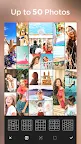
● Remix up to 20 photos to create fun layouts and collages
● 37 unique photo effects for making unique photo collages
● Add music to your photo collage
● Make funny photo collages with animation effects
● Export Video & GIF to your social media
● Photo editing tools such as sharpness, shadow adjustment
● Stickers, tags, emojis, texts, and photo frames: tens of borders and frames
● Rotate, mirror, flip images, drag or swap them, pinch to zoom in or out
● 100 layouts of frames or grids to choose
● Insta square photo with blur background for Instagram
● Save photos in high resolution and share pictures on social media
📷 Photo collage and photo animation
★ Let your pictures dance in the background
★ Add rhythmic music to your animated collages
★ Make your stickers and texts animate in your collage
📷 Photo collage maker
★ Hundreds of Layouts for you to choose and fascinating pic collage tools
★ Design the layout on your own by customized photo grid size, borders and backgrounds!
★ Heart, diamond, circle photo… Make a shaped collage, transform daily moments into creative photos anytime
📷 FreeStyle collage
★ Try freestyle collage if you dont like the fixed template frames!
★ Determine the location of the photos and the placement of materials in collage by yourself
★ Make creative and free collage based on your preferences with complete freedom!
📷 Awesome photo editor
★ Revolutionize your photo collages with filters
★ Make perfect pics with great filter effects by adjusting the details of brightness, contrast and warmth
CollageLab is a FREE photo collage, photo animation and editing app.
With CollageLab, you can make your own perfect photo collage with layouts, stickers, frames and backgrounds.
Easily add music to your collage and share your video or GIF on TikTok, WhatsApp, Instagram, Facebook.
Enjoy making amazing photo collage animation and editing with CollageLab!
Any questions for CollageLab - Collage Maker & Photo Editor?
Please contact us at connect.fotocollage@outlook.com