
You might like:


About this App
Finally, a keyboard app that is Smart, Swift, Secure & Fun!
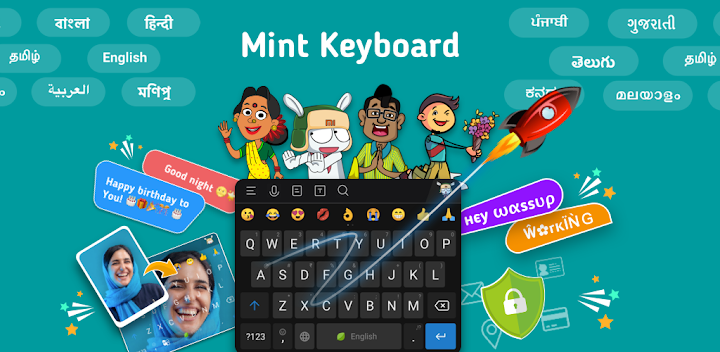
Mint keyboard comes with cutting edge Artificial Intelligence to enrich expressions and conversations on a keyboard like never before!
Mint keyboard is a keyboard app specially designed for all Indian users and mi fans.
The keyboard with AI engine built-in learns continuously and personalizes to match your unique way of typing - including your local language words, shortcuts, slang and personal emoji preferences. With this brand new keyboard app, you can create your own photo themes, chat with multiple fonts, speak in regional languages across any of your favourite chat app!
Express with Smart Emoji Row and Bigmoji 😎👍
- The Mint keyboard provides relevant multiple emoji suggestions as you type to provide you with the smartest emoji keyboard!
- Unlimited free Emojis to express love and all your emotions!
- Special animated Bigmoji by long pressing on emojis
Share fun Stickers & GIFs with friends & family 🎉👪
- Special Festival greetings, fun stickers, GIF and Bigmoji!
- All the updated content is there readily available to make your chats interesting and fun.
- Daily new stickers to share directly from the keyboard and have fun during conversations!
Type & Swipe like Pro 🚀on the Mint Keyboard
- Keyboard with AI-powered multiple auto-correct modes designed for Indian chats
- Mint Keyboard also provides Accurate Suggestions and Predictions to speed up your typing and swiping!
- Special Sticker & GIF updates before every festival and events to wish your loved ones!
Your Own Photo Keyboard with beautiful themes and wallpapers 📸
- Mint Keyboard lets you make your own custom keyboard theme with your photo as the background
- Weekly New colorful keyboard themes and Photos
- Live animated keyboard themes
Easy-to-use: Save time and effort with Smart Quick Replies ⏰↩️
- Reply instantly with smart contextual replies in one tap. Now you would never need to type the same information again in a keyboard
- Wondering how to break the ice with someone over chat?
Spark up conversations with awesome, witty and funny Quick Reply conversation starters!
- Express your feelings to someone with regularly updated wishes within quick replies
Keyboard in your own language: Multiple Indian Languages to type in!
- Type in Hinglish, or any other language mixed with Indian English!
- Type in English and auto-convert (Transliterate) to any language
- Keyboard supports all Indian languages for typing and Speech-to-Text
Mint Keyboard supports the languages and layouts below:
> English (India)
> Hindi
> Marathi
> Tamil
> Punjabi
> Gujarati
> Kannada
> Telugu
> Malayalam
> Assamese
> Bangla
> Manipuri
> Arabic
> Urdu
> Odia
> Konkani
> Bodo
> Nepali
> Santhali
> Bhojpuri
> Dogri
> Sanskrit
> Rajasthani
> Marwari
> Sindhi
> Maithili
> Bahasa Indonesia
Your privacy and security are of the utmost importance to us.
With our cutting edge technology, we ensure you enjoy a highly secure and seamless experience across any platforms, with Mint Keyboard App.


