You might like:


About this App
Transform your Wear OS watch with festive charm and digital Christmas designs.
"Christmas Timefaces ULTRA SGW7 transforms your Wear OS watch into a festive winter wonderland. From jolly Santa Claus and playful reindeer to cozy snowman and winter scenes, this app offers a wide range of captivating Christmas digital designs. Easily personalize your Wear OS screen with enchanting watch faces and festive elements. Christmas Timefaces ULTRA SGW7 offers a seamless, user-friendly experience, letting you apply and customize your watch faces effortlessly. Celebrate the holiday season with style and joy using this ultimate Christmas digital watch faces app!"
Highlighted Features of Christmas Watch Faces App:
• Christmas Themed Digital Dials
• Attractive Color Options
• Customizable Complications
• Battery Indicator
• AOD Support
• Supports Wear OS 3, Wear OS 4, and Wear OS 5 devices.
Supported Devices:
The Christmas Timefaces ULTRA SGW7 app is compatible with Wear OS devices (API Level 30+) that support Google's Watch Face Format.
- Galaxy Watch 7
- Galaxy Watch 7 Ultra
- Pixel Watch 3
- Fossil Gen 6 Smartwatch
- Fossil Gen 6 Wellness Edition
- Mobvoi Ticwatch Series
- Samsung Galaxy Watch 6
- Samsung Galaxy Watch 6 Classic
- Samsung Galaxy Watch5 & Watch5 Pro
- Samsung Galaxy Watch4 and Watch4 Classic and more.
Complications:
You can select and apply the following complications to your Wear OS smartwatch screen:
- Date
- Day of the week
- Day and date
- Next event
- Time
- Steps count
- Sunrise and sunset
- Watch battery
- World clock
Customization & Complications:
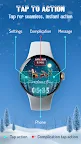
• Access Customization: Touch and hold the display.
• Select Customize: Tap on the "Customize" option to begin.
• Personalize Data Fields: In customization mode, adjust the complication fields to display your preferred data.
Install Instructions:
1. Install via Companion App:
• Open the companion app on your phone and tap "Install" on your watch.
• If you don’t see a prompt on your watch, try toggling Bluetooth/Wi-Fi off and on again to resolve the issue.
2. Activate the Watch Face:
• Long press on your watch screen, swipe left and tap "Add watch face" to activate it from the Downloaded section.