You might like:


About this App
Teach, learn and communicate using a vast collection of over 1500 AAC symbols!
Introducing the Twinkl Symbols for AAC app! Create, teach, learn & communicate using a fantastic set of teacher-led symbols and board & book templates from the world’s largest educational publisher, Twinkl!
This fantastic new app features hundreds of ready-made AAC symbols for you to use in an augmentative and alternative communication (AAC) setting.
With this well-categorised array of AAC symbols, you’ll be able to offer effective was to communicate to children with speech and language difficulties. What’s more, the Twinkl Symbols for AAC app gives you the option to create your very own symbols using our vast bank of beautiful pre-made images,
Go ahead and take a look at all the amazing features our Twinkl Symbols for AAC app has to offer:
+ 1500+ teacher-led, professionally designed and illustrated symbols. Colour and black and white variants. Categorised, searchable and already covering core and popular topics but growing daily and updated at regular intervals.
+ *New!* Communication Books - Create communication books with multiple pages and a speech bar for improved communication. Add your existing boards as pages to books.
+ Save/Print your boards, books and any Twinkl Symbol.
+ New! Easily share your boards and books with other Twinkl Symbol App users.
+ Our Symbol Workshop lets you find and create your own AAC symbols using a vast bank of more than 200,000+ beautiful illustrations!
+ Text-To-Speech (TTS) brings text alive with device native audio and customisable voices (works fully offline).
+ Two configurable timer modes designed to facilitate practising waiting.
+ A configurable spinner mode for a variety of uses - assistive dice rolling, random selection etc...
+ Button Mode - an area to create customisable buttons that allow you to play a phrase or record and play your own voice recordings.
+ Type2Talk Mode - simple and effective mode featuring text-to-speech from your keyboard input.
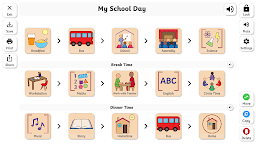
+ A huge range of teacher-led, customisable board & book templates and samples for use in a variety of educational settings, including:
+ Favourite symbols for quick access to your commonly used symbols.
+ Organise and quickly access your saved boards & books in My Boards / My Books.
+ Replace default text labels to apply your own custom text labels to each symbol, and board template labels/headings.
+ Optionally apply colourful semantics or custom styling to each symbol as it is added to your board.
+ Lock features to prevent changes and exiting back to the main menu.
+ Settings area to customise the app to your needs.
+ Plus Timetables, Planners, Choice Boards, Flashcards and Communication Cards and so much more!
Version 2 of Twinkl Symbols for AAC is currently offered to you for free use, and we'd love to hear your feedback and ideas for future development. This app is designed to assist and support, not replicate or replace, the specialist skills and services offered by the SEN, teaching, speech therapist / SLP, AAC, medical & other associated professions and end-to-end services.
For more help, information and to contribute feedback and ideas, please see the in-app help area or go to: twinkl.com/contact-us or email: twinklcares@twinkl.com.
Privacy Policy: https://www.twinkl.com/legal#privacy-policy
Terms and Conditions: https://www.twinkl.com/legal#terms-and-conditions