You might like:


About this App
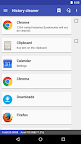
Clear cache, search histories, and defaults
1-Tap to clean all cache files, defaults settings, and SD card.
Are you running out of application storage?
You now can get more available storage space by clearing apps created cache/data files.
There are some cleaners included in this app. Cache Cleaner helps you to get more free space for the internal phone storage by clearing apps cached files, data files. If you have selected to launch apps by default for some actions. Defaults Cleaner helps you to clear the default settings. SD Cleaner helps to delete junk files from the SD card.
Features:
★ 1-tap to clear all cached files
★ list all default apps and clear selected defaults
★ home screen widget shows cache and available size
★ clear cache or history for a specified application
★ notify if apps used cache size large than your specified value
★ list applications by either cache, data, code, total size, or app name
★ show application details page
Required permissions:
* READ_HISTORY_BOOKMARKS, WRITE_HISTORY_BOOKMARKS: show and clear browser navigation history records
* INTERNET: for sending the crash report
* GET_PACKAGE_SIZE, PACKAGE_USAGE_STATS: get the size information of apps
* BIND_ACCESSIBILITY_SERVICE: this app uses Accessibility services to automate the function (e.g. clear cache), optional. It helps those who have difficulty in tapping and complete the task easier
* WRITE_SETTINGS: prevent the screen rotation during the automatic function
* SYSTEM_ALERT_WINDOW: draw a wait screen above other apps during the automatic function
For the user's manual, FAQ, please tap MENU > Settings > About for details.
You have to install this app on the phone storage if you want to use the widget function. It's required by Android.
We have been selected as a Google I/O 2011 Developer Sandbox partner, for its innovative design and advanced technology.
Credits:
Arabic - Hazem Hamdi
Czech - Michal Fiurášek
Danish - Christian Stangegaard Kappelgaard
Dutch - Niko Strijbol, Vincenzo Messina
French - Philippe LEROY
German - Michael Vollmer
Japanese - nnnn
Hebrew - אלישיב סבח
Hindi - Adarsh Jha
Hungarian - RootRulez
Indonesian - Khairul Agasta
Italian - Luca Snoriguzzi
Korean - 장승훈
Polish - Grzegorz Jabłoński
Romanian - Stelian Balinca
Portuguese - Wagner Santos
Russian - Идрис a.k.a. Мансур (Ghost-Unit)
Serbian - Dusan Trojanovic
Slovak - Patrik Žec
Slovenian - Matevž Kersnik
Spanish - Alfredo Ramos (Abaddon Ormuz)
Swedish - Hampus Westin
Tagalog - Angelo Laus
Turkish - Kutay KuFTi
Ukrainian - Владислав Іванишин
Vietnamese - Nguyễn Trung Hậu
Let me know if you are interested in translating this app into your native language. Thanks.