你可能喜歡:


關於這個應用
Smart Universal TV Remote Control for all TVs, AC, IPTV, Cast & Screen Mirroring
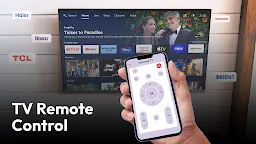
Lost your remote? Broken or not working? Wanted to share your phone screen on TV? If yes then get this universal tv remote control for all tv app and use your phone as smart TV or AC remote and easily share your phone screen on TV via using this smart remote app.
Say Goodbye to the Remotes, Rule Your Entertainment via Smart Remote Control for TV and AC to make Smart Home with Smart Control!
📺 Universal Remote Control / TV Control
Experience seamless android remote control app for all TV and AC, and eliminate the hassle of searching for remotes. Wifi universal TV remote app transforms your smartphone into a powerful universal TV remote, putting you in complete smart control.
Tired of Dealing With These Issues?
✔ Constantly searching for your misplaced remote
✔ Draining batteries faster than expected
✔ Confusing similar remotes at home by size, shape, or color
✔ Direct remote at crucial moments
✔ Remote getting chewed by your pet
Features of Universal TV Remote & screen mirroring app for all tv
✔ Wifi Smart Remote
✔ IR Remote
✔ Universal AC Remote Control
✔ Smart Remote Control
✔ Chromecast Screen Share
✔ Screen Mirroring
✔ Screen Share
Benefits for IR Universal TV Remote Control
1. Smart Universal TV Remote Control:
Never lose control again - your phone is always with you, making it the ultimate remote for all your devices, including AC remote control, Smart TV remote, screen cast, and screen mirroring.
2. Chromecast App for Android to TV:
Enhance your viewing with screen casting feature. Effortlessly screen share from anywhere for smooth collaboration, presentations. Perfect for family movie nights or work presentations using cast to TV. TV cast with ease: Cast movies, shows, and photos directly from your phone to the big screen using screen mirroring, chromecast or screen share compatible protocols.
3. Efficient Screen Mirroring App for All TV Brands:
Our screen mirroring lets you mirror your smart phone screen to another device in real-time. Screen share via screen mirror feature to friends and family, or use it for professional presentations and demos. Ideal for personal and professional use.
Custom Layouts:
Make it Yours: Customize themes, colors, and layout preferences to match your style and enhance usability.
Get Started with Confidence:
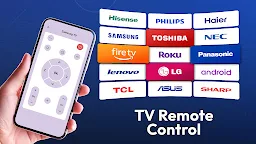
Setups & Tutorials Guided: No tech headaches! IR universal remote control guides you through setup with interactive tutorials, ensuring a smooth and successful experience. Broad device compatibility: Control a vast array of devices - from TV and air conditioner units to IR Remote - all with a single app.
Get IR universal TV remote control for all TV today and experience the future of home entertainment control!
P.S. Tired of replacing batteries? Through the universal remote control, you'll never need another battery unified remote again!
To enable screen mirroring from your phone to a web browser, this app requires specific permissions and services. For Android 14 (API level 34) and above, the app needs the media_projection permission to capture and stream screen content.
Media_projection permission needs to ensure the mirroring process runs smoothly in the background. These permissions are essential for providing a seamless and uninterrupted screen mirroring experience.
FAQs and Support:
For feedback and suggestions on new features, please reach out to us at help.xenstudios@gmail.com. We are committed to enhancing RemoteX: Smart Remote Control to better serve you.
Visit our YouTube channel: http://www.youtube.com/@MobifyPK