你可能喜歡:


關於這個應用
Enhance your photos with AI editing tools & filters from Photoshop Express
PHOTO EDITING MADE FUN AND EASY
Tap into your creativity with a photo editor made for fun, fast, and easy one-tap photo edits. Trusted by millions, Photoshop Express is the picture editor perfect for turning creative ideas into reality. Add text to photos, touch up a selfie, make pre-post edits, and apply vibrant or vintage camera filters. With Photoshop Express, you get a state-of-the-art AI image generator, easy-to-use collage maker, and a face editor app.
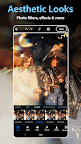
Get a photo editor app with airbrush tools, a collage maker, and vintage camera filters to fit any aesthetic. From film effects and text overlays to photo stickers and retouch tools – get thousands of ways to customize and edit photos.
Airbrush your selfie in just a few taps with our face editor app! Clean up images with red eye corrector, healing, clone stamp, and blemish remover features. Choose from hundreds of camera filters for moody film effects, aesthetic styles, or one that feels like a vintage camera! Collage maker, AI photo generator, and face editor app — get it all with Photoshop Express.
Enjoy a high-quality image editor no matter your photography skills. Get Photoshop Express today for a comprehensive yet simple way to edit and retouch photos and transform moments!
PHOTOSHOP EXPRESS FEATURES
AI PHOTO EDITOR & IMAGE RETOUCH
- Airbrush your selfie with our face editor app
- Vintage camera filters give your photo a retro touch
- Add text to photos to elevate your images
- Face editor app that allows you to retouch and enhance photos with blemish remover and spot healing tools
- Replace image backgrounds, remove objects, and add filters that feel like a vintage camera
- Remove blur, dehaze pictures, erase background noise, and easily apply presets
- Use AI photo tools to erase objects, add makeup, and restyle images
ADD TEXT TO PHOTOS & USE OUR COLLAGE MAKER
- Combine pictures in a pre-made photo grid with our fun and simple photo collage maker
- Add text to photos and create memes with easy-to-use graphic design features
- Create custom stamps and watermarks with dozens of fonts and layouts to choose from
LEVEL UP YOUR CREATIVITY WHEN YOU USE TEXT TO IMAGE
- Photoshop Express is more than a face editor app. Use our AI photo generator to expand the possibilities of creative concepting
- Create custom eye-catching stickers or try on an outfit or accessory you create with a text prompt
- Level up your vision and moodboards with distinct imagery provided by our AI image generator
- Add your own reference image to your prompt to generate photos that align with your aesthetic
UPLOAD & SHARE PHOTOS EASILY
- Upload images from multiple source formats (including RAW, TIFF, and PNG)
- Face editor app, collage maker, and image editor that’s perfect for social media
- Share photos to your favorite social channels like Instagram, TikTok, Pinterest, Snapchat, Facebook, Line, and Telegram
Unlock unlimited possibilities with Photoshop Express Premium!
PREMIUM
Upgrade to Photoshop Express Premium to access extra, exclusive features, and more precise editing controls.
Photoshop Express is the picture editor made for everyone. Make photo magic happen with Adobe Photoshop Express. Fix photos, create fun memes, and make personalized pic collages today!
Adobe Terms of Use:
Your use of this application is governed by the Adobe General Terms of Use http://www.adobe.com/go/terms_en and the Adobe Privacy Policy http://www.adobe.com/go/privacy_policy_en
Do not sell or share my personal information www.adobe.com/go/ca-rights