You might like:


About this App
Family location tracker & parental controls to limit screen time & block apps.
AT&T Secure Family Companion® is a mobile app installed on family member’s devices to help their parents or guardians protect them by locating their device in real-time and managing their child’s screen time as well as the content they may access online. Secure Family is available for all families, no matter which mobile provider you use. Take your family’s safety to the next level.
FAMILY SAFETY AND REWARDS
* Locate devices in real-time on the family map.
* Family Members can send an emergency alert to everyone with the press of a button
* Parents, give your child extra screen time as a reward for good behavior
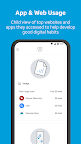
* Child view of top websites and apps they accessed to help develop good digital habits.
Legal Disclaimers
AT&T Secure Family Companion is free and only works with the purchase of AT&T Secure Family, available in the Google Play Store for $7.99/month (includes support for up to 10 family members) and up to 30 devices in total. Service auto renews every 30 days unless cancelled. To use the AT&T Secure Family service, you must download two Apps: the AT&T Secure Family App (adults, parents or guardians) and the AT&T Secure Family Companion App (family member). Visit att.com/securefamily for details.
Install the Companion App on your child’s device and pair it with the Parent App on your device. Pairing is required to access all features. Only authorized app users have permission to use the App to locate a family member’s device. AT&T Secure Family uses the Google Accessibility API as an optional component to the parental controls function, and when enabled by the parent, helps to prevent removal of the Secure Family Companion App to prevent disablement of parental control functions by the child. Requires Android v.13 or higher.
Note: Continued use of GPS running in the background can reduce battery life. Availability, timeliness, or accuracy of location is not guaranteed. Coverage not available in all areas.
There is a compatibility conflict that can prevent the addition of AT&T Secure Family Companion App to your child’s companion device if you have AT&T ActiveArmor Advanced Mobile Security running on the same companion device. If you wish to continue with the purchase, you must downgrade to the FREE version of AT&T ActiveArmor Mobile Security on the companion device before adding AT&T Secure Family Companion App.
AT&T Secure Family FAQs: https://att.com/securefamilyguides
The collection, use, and disclosure of any personal information through this application is governed by AT&T's Privacy Policy found at: att.com/privacypolicy and the App’s End User License Agreement found at att.com/legal/terms.secureFamilyEULA.html.
* AT&T Postpaid Wireless customers:
View, modify or cancel service anytime within the Secure Family app.
AT&T does not provide credits or refunds for partial months.
* AT&T PREPAID wireless customers and all other mobile networks billed by Google Play Store:
See Google’s polices regarding cancellation in the Google Play Store at https://support.google.com/googleplay/answer/7018481