Featured Banner
Icon

Launcher OS™

© Apps Genz

4.4 78346510

Source: Google Play Store

Category: Personalization

Price: Free

Content Rating: for everyone

Requires: Android 8.0+

Released on: 2020-05-19

Last Updated: 2025-12-27

(The more people request, the faster it may be included)

☑ We will notify you as soon as the App is available. If you can't receive notifications, please check back often.

About this App

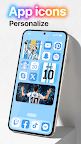
Launcher OS™ help make your phone simple and pretty.
Launcher OS™ sets a new standard for the Android mobile operating system. It makes your phone better than before. And now it opens up to amazing possibilities for launcher on your phone. With Launcher OS™, Your phone is the most powerful, personal, and intelligent devices they've ever been.

To make Launcher OS™ working most perfectly. You must grant some special permissions like to:
- CAMERA: Open camera in your phone when screen is locked.
- READ_PHONE_STATE: Show phone call when screen is locked.
- NOTIFICATION ACCESS: Show notification when screen is locked.
- READ/WRITE_EXTERNAL_STORAGE: Support wallpaper set from your storage and our server save image.
- DRAW OVER SCREEN: Show Lock Screen in over all application.
- MANAGE_EXTERNAL_STORAGE: Includes a built-in universal file search feature to help users quickly find any file on their device.
- RECORD_AUDIO: Uses microphone access to convert your voice to text in AI chat.

If you have any problem, please contact me via email support@appsgenz.com

THANK YOU SO MUCH FOR YOUR USING MY APPLICATION!

Screenshots

I'm not a robot

In order to block spam bots, we push you a notification with the following code. Please click on the notification to complete the verification.


Notifications may be slightly delayed, please wait a moment.

Or if your device is unable to receive notifications, you can also send us an email.

Tips:

Please allow [apkz.com] to show notifications. We will notify you as soon as the App is ready.

Um, Seems that the notification is not available.
Would you like to send requests and receive updates via email?

Tips:

After the download is successful, please use [APKZ App] to install it.


Unable to determine whether the file was saved successfully, please confirm it yourself before installing.

Tips:

Your browser is out of date and some features may not work properly, please change or upgrade your browser.


For a better user experience, it is recommended to use Google Chrome or Edge.

Tips:

If the download cannot be completed, please open this page in your browser.


For a better user experience, it is recommended to use Google Chrome or Edge.

Tips:

This App can only be installed on Android devices.