You might like:


About this App
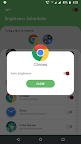
Brightness Manager changes device brightness automatically for running app.
Max Brightness: Screen Dimmer - Optimize Your Screen's Light!
Discover how to easily customize your screen using the Max Brightness: Screen Dimmer app. Adjust your device light automatically for each app, saving time and enhancing viewing comfort. Whether using a dimmer for nighttime reading or enhancing visibility during the day, this app is your go-to for effective management.
Experience the perfect balance with Max Brightness: Screen Dimmer, optimized for dark mode and nighttime use with the Low Brightness Night Mode App. Get ready to enhance your screen light for an effortless viewing experience across all your apps!
📄 Max Brightness: Screen Dimmer Key Features: 📄
🌟 Enable custom light settings for individual apps;
🌟 Auto-adjust levels based on the app you open;
🌟 Set default levels for unconfigured apps;
🌟 Simple, user-friendly interface for quick configuration;
🌟 Low Brightness Night Mode App to reduce screen glare at night;
🌟 Maximize screen visibility with Adjust Brightness Dimmer for any environment.Effortlessly Adjust Screen Light for All Your Apps
Adjust Brightness Dimmer provides seamless control over your screen's light based on the app. Configure each app to use a specific light level, allowing for tailored visibility and comfort across various environments. With Screen Brightness: Dark Mode enabled, you’ll enjoy an intuitive, hassle-free experience that automatically dims your screen for nighttime use and boosts it for bright environments.
Adjust Brightness Dimmer - Optimized for Comfort and Convenience: 🌓
For devices with higher maximum light levels, the Max Brightness: Screen Dimmer app includes an advanced setting to detect and apply the device's top light limit. Customize this Adjust Brightness Dimmer setting once, and your preferences are saved to ensure consistent performance. Adjust light in seconds for an ideal experience with Screen Brightness: Dark Mode.
Screen Brightness: Dark Mode - Smooth Functionality:
The Low Brightness Night Mode App uses a background service to efficiently manage light settings across apps. Once enabled, this service ensures that light adjusts automatically as you switch between apps, providing a smoother experience without needing constant manual adjustments.
Ensure the Right Light Every Time: 🌞🌜
Stay in control with a default light setting for unconfigured apps, which is automatically applied when exiting our Screen Brightness: Dark Mode app. This way, your screen’s light remains consistent across all applications, without the hassle of manual adjustments.Take Full Control with Max Brightness: Screen Dimmer!
Embrace easy, customized light control with the Low Brightness Night Mode App. From reducing glare at night to maximizing clarity in bright conditions, this app ensures your device adapts to any setting. Try Max Brightness: Screen Dimmer for reliable, convenient light management designed for every user and environment!