Featured Banner
Icon

Shizuku FPS Meter

© Lean Bytes

3187

Source: Google Play Store

Category: Tools

Price: Free

Content Rating: for everyone

Requires: Android 8.0+

Released on: 2025-11-17

Last Updated: 2025-12-31

We have detected a new version and it is being updated in the background. Please [refresh the page] later.

(The more people request, the faster it may be included)

☑ We will notify you as soon as the App is available. If you can't receive notifications, please check back often.

About this App

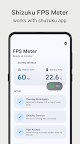
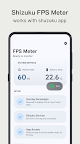
Measure real-time FPS of Android apps using Shizuku Fps Meter
Track real-time game and app performance on your Android device with Shizuku FPS Meter — a lightweight, privacy-safe tool for accurate FPS measurement.

Shizuku FPS Meter displays your current frames per second (FPS) in real time, helping you analyze performance, detect lag, and optimize your gaming or app experience.

Key features:
• Real-time FPS overlay for any app or game
• Easy-to-read display and simple interface
• Works seamlessly through Shizuku (required for full functionality)
• Zero ads and absolutely no data collection
• Lightweight, efficient, and battery-friendly

Important:
Shizuku FPS Meter requires the Shizuku app to function properly. Please install and enable Shizuku before using this app.

Privacy first:
We do not collect, store, or share any user data. Everything runs locally on your device for total privacy and transparency.

Monitor performance instantly, fine-tune your system, and enjoy smoother gameplay with Shizuku FPS Meter.
Screenshots

I'm not a robot

In order to block spam bots, we push you a notification with the following code. Please click on the notification to complete the verification.


Notifications may be slightly delayed, please wait a moment.

Or if your device is unable to receive notifications, you can also send us an email.

Tips:

Please allow [apkz.com] to show notifications. We will notify you as soon as the App is ready.

Um, Seems that the notification is not available.
Would you like to send requests and receive updates via email?

Tips:

After the download is successful, please use [APKZ App] to install it.


Unable to determine whether the file was saved successfully, please confirm it yourself before installing.

Tips:

Your browser is out of date and some features may not work properly, please change or upgrade your browser.


For a better user experience, it is recommended to use Google Chrome or Edge.

Tips:

If the download cannot be completed, please open this page in your browser.


For a better user experience, it is recommended to use Google Chrome or Edge.

Tips:

This App can only be installed on Android devices.