You might like:


About this App
Online tracker,Games blocking,Monitor Screen Time,website Filter,Family locator
😔 Concerned about your child's teenage years? Issues like self-harm, suicide, explicit content, bullying, anxiety, and depression can be overwhelming.
🙂 Are you looking for a way to monitor your child's device remotely?
😜 Want an app that blocks inappropriate content and allows parents to monitor their child's online activity?
KidsGuard is the ultimate parental control tool, providing a safe and healthy solution to keep your child secure online. 👨👨👦👦
🎉 Download KidsGuard now and become a tech-savvy parent in the digital age!
🔥 Key Features:
🔴 Flexible App Restriction and Blocking
- No more worrying about your kids spending too much time on TikTok or games.
- KidsGuard is the perfect tool to limit TikTok screen time and control the use of YouTube, WhatsApp, Facebook, Twitter, Instagram, Twitch, and any other apps on your child's device.
🟡 Instant Screenshots and Device Lock
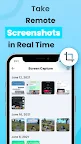
- Remotely take screenshots or instantly lock the screen with one click.
- You can schedule unlock times or manually unlock the device anytime, ensuring your child's safe use.
🟢 Real-Time Location Tracker
- Track your child's real-time location 24/7 and set up geofences. Get instant alerts when they enter or leave home, school, or any other specific area.
- Always know where your child is, keeping them safe.
🔵 Comprehensive Usage Reports
- Our detailed device usage reports help you understand how your child uses their device daily.
- Ensure your child's safety by monitoring their online behavior.
🟤 Supports Most Devices
- Compatible with most Samsung, Xiaomi, Motorola, and Android models.
- Track smartphone activities around the clock.
🟣 Website Control and Blocking
- Use our pre-set categories to block all malicious, harmful, adult, and inappropriate content.
- You can also add specific websites or URLs to block, preventing your child from accessing unsuitable sites.
👉 Let KidsGuard be your family's guardian:
- Screen time control, location tracking, and social media monitoring for platforms like WhatsApp, YouTube, Facebook, Instagram, TikTok, and more, ensuring your child's online safety.
- Game and adult content blocking, protecting your child from harmful content.
💡 How to Use KidsGuard - Parental Control App and Location Tracker?
1.📱 Download KidsGuard on your device and create an account.
2.📲 Install《 KidsGuard Jr 》on your child's device.
3.🔗 Link the two devices.
4.🔧 Use the KidsGuard dashboard to manage screen time, block apps or websites, and take screenshots.
⛔ Note: KidsGuard may require permission on your child's device. Granting all permissions is essential for the app's proper functioning.
🌐 About the Developer
ClevGuard is a global software development leader with offices worldwide. Our top apps, like KidsGuard For Chat App and ClevGuard-Anti Spy Scanner, are used in over 150 countries, with over a million monthly active users.
📣 If you think KidsGuard - Parental Control App is the perfect solution for your needs, share it with your friends!
📧 If you have any questions or need technical support, don't hesitate to get in touch with us via email: support@clevguard.com
🌐 For more information, please visit our website: https://www.clevguard.com
📜 To learn more about our privacy policy: https://www.clevguard.com/privacy-policy/
📄 To read our End User License Agreement: https://www.clevguard.com/eula/