You might like:

![[SSP] Shadow Watch Face 's icon](https://img.apkz.com/gpi/-d2qn20LTDZZE6U0-fkfjl3EZY-CPqYHjEhQm191dRvK9pMW3ZCs5PVTryLOAPfNCQ?w=96)


About this App
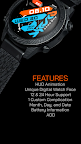
DRM03 Cyber Watch Digital is a cyberpunk-themed digital watchface for Wear OS.
Step into the digital age with DRM03 Cyber Watch Digital, a bold and futuristic watchface for Wear OS. This cyberpunk-themed watchface combines a sleek, modern design with cutting-edge digital readouts, delivering all the information you need at a glance.
Inspired by futuristic UIs and industrial aesthetics, DRM03 presents essential data like time, date, battery status, and step count in a distinct, high-contrast display. Its striking visuals and precise digital presentation make it the perfect companion for those who embrace technology and style.
DRM03 Cyber Watch Digital for Your Watch. Supports Galaxy Watch 7 Series and Wear OS watches with API 30+.
On the "Available on more devices" section, tap the button beside your watch on the list to install this watch face.
Features :
- Dynamic Digital Display: Clear and precise digital readouts for time and data.
- Essential Complications: Integrated battery indicator and step counter for convenient tracking.
- 12/24 Hour Support: Choose your preferred time format.
- Always On Display (AOD): Maintain a low-power, always-visible display.
- Futuristic Aesthetic: A unique design that stands out.
After the watch face is installed, activate the watch face by these steps :
1. Open watch face selections (tap and hold the current watch face).
2. Scroll to the right and tap "add watch face".
3. Scroll down on the downloaded section.
4. Tap the newly installed watch face.