You might like:


About this App
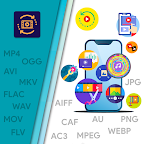
Convert your Video, Audio, Image File Formats like MP4 AVI MKV MP3 WAV and more
Video Converter is a smart and sophisticated tool to Convert, Compress, Trim and manipulate your Video, Audio & Image Files.
You can convert all popular Video File formats like MP4, AVI, MKV, MOV, FLV into Audio File formats like MP3, WAV, AAC OGG, FLAC, AIFF, AU etc..
You can also use this tool to alter technical aspects like Video Resolution, Frequency, Frame rate (FPS), Rotation, Channels, Preset & Bitrate properties.
❖ PROMINENT FEATURES OF VIDEO CONVERTER ❖
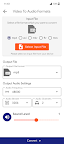
🎬 Video to Audio Converter :- Convert your Video file to Audio file format along with the facilities to boost Audio level, Audio Frequency & Audio Bitrate.
♫ Audio to Audio Converter :- Convert between one Audio file format to another file format with Audio manipulation features like Audio Channels, Sound Level etc..
🎬 ♫ Video & Audio Trim :- remove or cut a selected portion of your Audio or Video Files.
🎬 Video Manipulation :- You can alter the Video Resolution (Scale factor), Frame Rate & CRF Value.
🎬 Video Compression :- Compress the video file size with predefined presets. The original File size, Memory & Quality of the Video can be significantly reduced with help of this feature.
🎬 Video Rotation :- You can rotate your video orientation angle from 0 to 360 degrees in any direction and can also can perform a Horizontal Flip and Vertical Flip of your Video.
🎬 Video Watermark :- You can add watermark text or watermark images to your video
🎬 Remove Audio from Video :- You can remove the audio portion completely from your video
🖼 Image Converter :- Convert between the popular image formats like PNG, JPEG & WEBP
🖼 Image Compress :- Compress various image file formats by adjusting the compression level factor.
🖼 Image to Video :- Create a beautiful video slideshow with a collection of pictures, you can also set your own background music for the slideshow.
❖ LIST OF SUPPORTED MEDIA CONVERSIONS ❖
• MP4 to MP3, OGG, WAV, FLAC, AAC, AIFF & AU
• AVI to MP3, OGG, WAV, FLAC, AAC, AC3, AIFF
• MKV to MP3, OGG, WAV, AVR, CAF and more
• FLV to MP3, OGG, WAV, CAF and more
• MOV to CAF, AU, AAC, FLAC, WAV, MP3, OGG
• MP4 to AVI, MPEG, MKV, FLV, MOV
• AVI to MP4, MPEG, MKV, FLV, MOV
• MPEG to MP4, AVI, MKV, FLV, MOV
• MKV to MP4, AVI etc..
• FLV to MP4, AVI, MPEG and more
• MOV to MP4, MPEG, AVI, MKV, FLV
• MP3 to OGG, WAV, FLAC etc..
• OGG to MP3, WAV, FLAC etc..
• WAV to MP3, OGG, FLAC
• FLAC to MP3, WAV etc..
• CAF to MP3, FLAC, WAV etc..
• AU to MP3, WAV, OGG etc..
• AIFF to WAV, MP3, FLAC etc..
• AC3 to WAV, MP3, OGG etc..
• AAC to OGG, MP3, WAV, FLAC etc..
• PNG to JPEG, WEBP
• JPEG to PNG, WEBP
• WEBP to PNG, JPEG
• JPEG, PNG, WEBP to MP4 (Video Slideshow Maker)
P.S. This Application uses FFMPEG Library to convert, compress & manipulate the media files.