
You might like:


About this App
Voice Recorder & Voice Memos - Record audio, vocals and sound in high quality
Audio Recorder - Dictaphone
Voice Recorder - Voice Memos is a one of best audio recorders in Google Play with over a million users and thousand positive feedbacks. Mostly known as professional, premium, easy voice recorder for Android devices. Use it for record voice memos, talks, podcasts, music and songs in high quality. Designed for everybody, especially students, journalists and musicians. Never miss important information during a meeting or at the lecture.
App is easy to use and free. Tags can be easily added to any part of the recording. Memo files can be easily shared to other applications. Voice recorder recording quality is limited by the quality device's microphone. Fully compatible with Android Wear devices. Audio recorder also supports external bluetooth microphone.
Note: This app is not a call recorder.
–––WHY YOU'LL LOVE THIS APP?–––
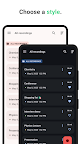
Group recording
Group all your vocal recordings into defined categories. Mark your favourite talks and memos. Place recording tags, attach bookmarks, choose colors and icons. Achieve clear and sharp sound.
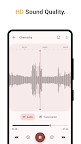
High quality sound recorder
With two simple taps configure all recording options. Choose your sample rate. Enable stereo recorder and silence remover. Use Android’s built-in effects to remove noise, cancel echo and control gain. Record your voice from external bluetooth microphone or one of built-in microphones.
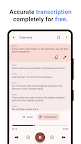
Free On-device Transcription
Powered by advanced AI and neural technology, provides a fast and accurate conversion of spoken words into written text, ensuring privacy and convenience for users. Enhance your experience with our reliable and efficient on-device transcription completely for free.
Audio Trimmer and Cutter
Select the best part from the recording then trim and cut the desired part of the audio for using in Ringtone, Notification tones, Alarm tones. Application is designed to make audio records editing so easy and fun.
Wireless Transfer
Use Wi-Fi transfer to export data to your computer fast and easy without any additional software. Just make sure that you are connected to the same network and you can start transferring.
Cloud Integration
With integrated Google Drive and Dropbox module your audio recordings will be automatically synced with your cloud account. It allows you access from all your devices. You can use it to create extra copies of data in case the original is lost or damaged.
Include Location
Automatically add current location to recording. Search recordings by address or find them on the map.
All Features:
- Supported formats: MP3, AAC (M4A), Wave, FLAC
- Waveform visualizer and editor
- Android Wear support
- Import memos from other apps
- Multiple sound sources: Mobile phone microphone, external Bluetooth recording
- Wifi voice memos transferring
- Display content from Cloud
- Export as backup to Google Drive and DropBox
- Android App Shortcuts support
- Support stereo recording
- Recording in background
- Integration with widget
- Silence skip, gain reduction, echo canceler
Do you love our app? Please rate and review us!