You might like:


About this App
Protect you and your loved ones with Secure by Frontier
Today’s Internet is full of websites trying to steal your personal information, infect your devices or spread harmful content. With Secure by Frontier, you can ensure you and your loved ones are protected and safe in the digital world whether on your tablet or smartphone.
Secure by Frontier can be downloaded to 10 devices and licenses can easily be shared with family members and friends. You can protect you and your loved ones from hackers and criminals while browsing on any mobile device whether at home or on-the-go.
In addition to world class protection, Secure by Frontier now includes a Password Manager. Eliminate the hundreds of different login credentials you have to remember to make browsing, shopping and banking online easier and simpler than ever! With Secure by Frontier, you can securely store every password, username, and credit card number while you only have to remember ONE master password.
With the addition of this functionality Secure by Frontier not only protects your family and loved ones from online threats but also helps keep you safe from online hacks by allowing you to generate unique, strong passwords for your online accounts.
Why You’ll Love It:
• Anti-Virus for best protection
• Protect all of your mobile devices
• Keep your finances and personal data safe while banking or shopping online
• Safeguard your children while surfing the internet with parental controls
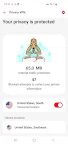
• VPN for privacy. With a VPN you can encrypt your traffic for secure and private browsing.
• SMS Protection. Get protected against online scams.
• Easily access all your passwords, usernames, and credit card details with one master password
• Access your login credentials anytime, anywhere on any device
• Generate stronger, unique passwords with ease to help keep you safe from online hacks
• Review personalized password strength reports and simply update any weak passwords
SEPARATE ‘SAFE BROWSER’ ICON IN LAUNCHER
Safe browsing works only when you are browsing the Internet with Safe Browser. To easily allow you to set Safe Browser as default browser, we install this as an additional icon in the launcher. This also helps a child launch the Safe Browser more intuitively.
DATA PRIVACY COMPLIANCE
Frontier always applies strict security measures to protect the confidentiality and integrity of your personal data. See the full privacy policy here: https://www.f-secure.com/en/web/legal/privacy/frontier
THIS APP USES THE DEVICE ADMINISTRATOR PERMISSION
Device Administrator rights are required for the application to perform and Frontier is using the respective permissions in full accordance to Google Play policies and with active consent by the end-user. The Device Administrator permissions are used for Parental Control features, in particular:
• Preventing children from removing the application without parental guidance
• Browsing Protection
THIS APP USES ACCESSIBILITY SERVICES
This app uses Accessibility services. Frontier is using the respective permissions with active consent by the end-user. The Accessibility permissions are used for Family Rules feature, in particular:
• Allowing a parent to protect child from unsuitable web content
• Allowing a parent to apply device and apps usage restrictions for a child. With the Accessibility service applications usage can be monitored and restricted.