You might like:

![[KNA015] CRESCENT 's icon](https://img.apkz.com/gpi/ti1orTMCEZwaoCbG-MDyiq7CwLLTJGZ-lYBocqpGIQ4G1crZ-k03Ck1XVG4wPP_u8mk?w=96)

![[KNA022] Weather Forecast 's icon](https://img.apkz.com/gpi/0uK5TaEUAfUb34OYZdArOH4Iu7DqRQLoHYNkWzcBA_L1spL_L899LNVfBhKL5QnXuPS5?w=96)


About this App
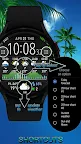
Watch face with weather forecast for 5 days.
Watch face with weather forecast for 5 days, 25-hour forecast charts, 6 time symbol colors and 6 background colors.
This watch face is available on devices running Wear OS 2.4 and 3+ (API 28+), primarily the Samsung Galaxy Watch 4/5/6 & Google Pixel Watch/2.
Devises running Huawei Lite OS and Samsung Tizen NOT SUPPORTED.
The watch face shows digital time, steps, steps to the goal and battery level.
The watch face also displays the weather forecast for today and 1-5 days, sunrise and sunset time, moonrise and moonset time, moon phase and age.
The information block in the center can be displayed in 6 modes (5-day forecast, 3 types of 25-hour chart, current weather, sun and moon info).
🚩 IMPORTANT - about possible issues with obtaining coordinates and updating the weather
• To obtain weather forecast you need an active Internet connection and the enabled "Location" option on your device.
• If "location" was disabled on your device before you installed the watch face, it may take a few minutes until the device receives the coordinates.
🚩 All weather information, as well as sunrise, sunset, moon age, etc. are calculated independently by the watch face.
This information is not imported from any stock applications and may differ slightly from them.
✅ Weather
• Current weather and forecast for 5 days
• 25-hour forecast chart (temperature and precipitation)
• 25-hour forecast chart (pressure and precipitation)
• 25-hour forecast chart (wind and gust)
✅ Customization
• 6 colors of time symbols
• 6 colors of background
• 6 customizable information blocks
• 2 zones for application shortcuts
(customize app shortcuts as you wish after installing the watch face)
✅ Sun and Moon
• Sunrise and sunset time
• Moon phase and age
• Moonrise and moonset time
✅ Steps
• Steps count
• Progress of steps towards the goal
• Configurable goal of counting steps
✅ Misc
• Battery level
• Unread notification count
• Handling system icons (airplane mode, do not disturb, theater mode, notifications)
• Multilingual (supports more than 40 languages)
✅ Units
• Distance - km, mile, nautical mile
• Speed - m/s, km/h, mile/h, knots
• Temperature - °C, °F
• Pressure - hPa, mmHg, inchHg, bar, psi
✅ Installation
• This watch face will be installed automatically from the paired phone
• Once installed, select this watch face in the Wear OS app
• Also you can press and hold the watch screen to open the watch face selection menu
☀ Weather forecast - World Weather Online
🌐 Geocoding - © OpenStreetMap contributors
➡ We are in social media
• Telegram - https://t.me/futorum
• Instagram - https://instagram.com/futorum
• Facebook - https://facebook.com/FutorumWatchFaces
• YouTube - https://www.youtube.com/c/FutorumWatchFaces
✉ If you have any questions, please contact us by e-mail support@futorum.com
We will be happy to assist you!