About this App
The New Testament translated into Gbaya spoken northwest of Central African
This application presents the New Testament translated into the northwest Gbaya language spoken in Central Africa.
If you tap the little “gba” icon at the top right, you can change the windows on the screen: Now choose either
- “single pane” if you want to see the Gbaya only
- “two panes” to display the Gbaya at the top and at the same time the French or English version at the bottom
- “verse by verse” to display a verse in Gbaya followed by the same verse in French or English.
• Bookmark and highlight your favorite verses, add notes
• When you tap a verse, an image button is displayed on the bottom toolbar. When this button is pressed, the ‘Edit Image’ screen appears. You can choose the background image, move the text around the image, change the font, text size, alignment, format and color. The final image can be saved to the device and shared with others.
• Give your phone permission to download audio files for New Testament texts. Once downloaded, audio files will remain on your device for offline reuse.
• Look up words in your Bible (this is a “concordance”).
• Swipe to browse chapters
• Night mode for reading in the dark (good for your eyes)
• Click and share Bible verses with your friends via WhatsApp, Facebook, Email, SMS, etc.
• No additional font installation required. (renders complex scripts well.)
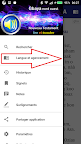
• New user interface with navigation drawer menu
• Adjustable font size and easy-to-use interface
English
If you press the little “gba” icon on the top right you can change the windows on the screen: Now choose either
- “single pane” if you want to see the Gbaya only
- "two panes" to display the Gbaya at the top and the French or English version at the bottom
- "verse by verse" to display a verse in Gbaya followed by the same verse in French or in English.
• Bookmark and highlight your favorite verses
• When you tap on a verse, an image button is shown on the bottom toolbar. When this button is pressed, the ’Edit image’ screen appears. You can choose the background image, move the text around the image, change the font, text size, alignment, format and color. The finished image can be saved to the device and shared with others.
• Give your phone permission to download the audio files for the New Testament texts. Once downloaded, the audio files will remain on your device for further use in offline mode.
• Add notes
• Search for words in your Bible.
• Swipe to navigate chapters
• Night Mode for reading during when dark (good for your eyes)
• Click and share Bible verses with your friends via Whatsapp, Facebook, Email, SMS etc.
• No additional font installation required. (renders complex scripts well.)
• New user interface with Navigation drawer menu
• Adjustable font size and easy to use interface