Featured Banner
Icon

Google NotebookLM

© Google LLC

4.8 9768725

Source: Google Play Store

Category: Productivity

Price: Free

Content Rating: for everyone

Requires: Android 12L+

Released on: 2025-05-16

Last Updated: 2025-12-11

(The more people request, the faster it may be included)

☑ We will notify you as soon as the App is available. If you can't receive notifications, please check back often.

About this App

Understand anything with a personalized AI research assistant
Turn complexity into clarity with NotebookLM, your brain’s new best friend. Join the millions of students, creators, researchers, professionals, CEOs, and more who are saving time, getting stuff done, and learning in new ways.

“NotebookLM Blew Our Mind” – Hard Fork
“One of the most compelling and completely flabbergasting demonstrations of AI’s potential yet.” – The Wall Street Journal

Now, with the NotebookLM app, you can create and access notebooks, ask questions whenever you think of them, and listen to your podcast-style Audio Overviews on the go with background playback and offline support.

📚 UPLOAD SOURCES
Upload all your long and complex PDFs, websites, YouTube videos, or text into a notebook.

💬 INSIGHTS YOU CAN TRUST
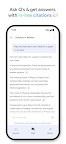
NotebookLM becomes an expert on your sources, summarizing them and making interesting connections. Then, you can ask it questions about, well, anything — and you can trust the answers, since your sources are cited in-line.

🎧 LEARN ON YOUR TERMS
Long blocks of text not your preferred way to learn? Transform what you uploaded into something more your speed, like a podcast-style audio discussion with two engaging AI hosts. You can even join the show to ask questions or steer the conversation in a different direction.

Screenshots

I'm not a robot

In order to block spam bots, we push you a notification with the following code. Please click on the notification to complete the verification.


Notifications may be slightly delayed, please wait a moment.

Or if your device is unable to receive notifications, you can also send us an email.

Tips:

Please allow [apkz.com] to show notifications. We will notify you as soon as the App is ready.

Um, Seems that the notification is not available.
Would you like to send requests and receive updates via email?

Tips:

After the download is successful, please use [APKZ App] to install it.


Unable to determine whether the file was saved successfully, please confirm it yourself before installing.

Tips:

Your browser is out of date and some features may not work properly, please change or upgrade your browser.


For a better user experience, it is recommended to use Google Chrome or Edge.

Tips:

If the download cannot be completed, please open this page in your browser.


For a better user experience, it is recommended to use Google Chrome or Edge.

Tips:

This App can only be installed on Android devices.