

You might like:


About this App
The magnifying glass app with clear image filters for easier reading!
Use your smartphone as a convenient digital magnifying glass.
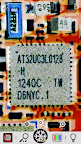
This app turns your phone into a powerful tool for reading small print—such as medicine bottle labels, electronic component tags, and restaurant menus—without the need for a physical magnifying glass.
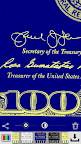
It also includes high-contrast filters that make text stand out more clearly, making it especially helpful for people with low vision.
[Features]
① Easy-to-use magnifier
- Zoom control with seek bar
- Pinch-to-zoom gesture
- Quick zoom-out for easy targeting
② LED flashlight
- Bright lighting in dark places
③ Exposure and screen brightness controls
- Adjust the image brightness to your preference
④ Freeze frame
- Hold the image still for detailed viewing
- Apply negative, mono, or sepia filters
- Fine-tune brightness and contrast
⑤ WYSIWYG saves
- Save exactly what you see on screen
⑥ Special image filters
- Negative filter
- High-contrast black & white
- High-contrast negative black & white
- High-contrast blue & yellow
- High-contrast negative blue & yellow
- High-contrast mono
⑦ Photo gallery with filters
- Adjust brightness and contrast
- Save exactly what you see (WYSIWYG)
Thank you for using our Magnifier app!



![Magnifier & Microscope [Cozy] 's icon](https://img.apkz.com/gpi/d4aBMNK0YMNJf8Ua4icPNDGw3Ho2LAVn1nTNSkM2uAq1qClaLxROK4y2hOSxhfpRHXPx?w=96)


![Magnifier & Microscope+ [Cozy] 's icon](https://img.apkz.com/gpi/gYn90JPsD2vQcJyODiS3tJ4MIFFfjfeEXAf1d0Wicsiri_ViuhgF869glBk7kJUJl-w?w=96)