
You might like:



About this App
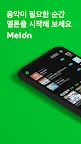
Music platform Melon! From various Melon charts to smart music recommendations that know you!
*In-app purchases are available.
Experience Melon on your Watch (Wear OS).
You can use it while connected to your mobile device, or enjoy music on your Watch alone.
[Service Introduction]
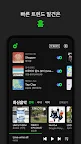
[Home] Discover popular music and Melon original content.
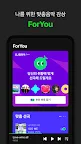
[ForYou] Enjoy DJ Malrangi's fast, effortless playback and personalized music.
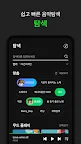
[Explore] Easily search using recommended tags, and listen to music recommended by genre and mood.
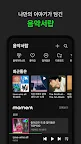
[Music Drawer] Experience the all-new Music Drawer to keep your music history, which gradually fades over time, clear.
[Player] Easily play previous and next tracks with a swipe, and browse content while playing music in Mini Player mode.
[Melon Chart] Melon offers various charts, including TOP 100, HOT 100, genre, and theme. [Hot Tracks] Easily discover and enjoy a variety of the latest music trends loved beyond the charts.
[Melon TV] Enjoy all the artist's videos, including music videos and broadcasts, in vivid high definition.
[Artist Channel] Discover all the artist's musical activities, including albums, videos, photos, and stories.
[Music Search] Simply play music and the smart search will find it for you.
[Key Features]
- Unlimited downloads with a free (DCF) plan, regardless of carrier or device restrictions.
- High-performance EQ and AI Master, an automatic sound effect solution.
- Downloads and streaming by sound quality.
- Continuous music video playback and HD streaming service.
- Easy storage/management of saved content, including playlist folder-based playback.
- Lyrics support during streaming/downloading.
- Widgets in various sizes (2X1, 2X2, 4X1, 4X2).
- Supports Kakao Login and basic emoticons.
※ Please uninstall any existing Melon widgets before updating! If you update without removing the installed widget, widget errors may occur.
[Information on access permissions required for Melon]
1. Phone (Required)
- Required for login, device registration, download streaming, billing, PC Player integration, and initializing the music caching module.
2. Storage (Required)
- Required for configuring the device's media storage, downloading content and lyrics, creating local playlists, and generating logs for customer service.
3. Microphone (Optional)
- Required for using the music search feature.
4. Location (Optional)
- Required for using For U weather information recommendation services.
If your Android version is lower than 6.0, you cannot individually control app access permissions. To control unnecessary access permissions, you must upgrade your device's operating system.
※ For inquiries and suggestions, please use the Mobile 1:1 Inquiry feature in the Melon app > Customer Center! - Inquiry number (weekdays 09:00-18:00): 1566-7727 (paid)