Featured Banner
Icon

Reading Buddy: Speech Recognit

© JD Software LLC

1344

Source: Google Play Store

Category: Education

Price: Free

Content Rating: for everyone

Requires: Android 4.4+

Released on: 2017-11-16

This App is not yet included in [apkz.com]. You can click the button below to request.

(The more people request, the faster it may be included)

☑ We will notify you as soon as the App is available. If you can't receive notifications, please check back often.

About this App

Use Speech Recognition to practice reading Sight Words. Kindergarten - 3rd grade
Reading Buddy uses state of the art Speech Recognition to practice reading. Kindergarten, first Grade, second grade, and third grade students can learn Dolch Sight Words, Silent E, Colors, CH,SH,TH Words, Numbers, or any other word or phrase. It is designed to help students practice reading on their own. You can even add your own word or phrase list to enforce the current words the student is learning the the classroom. Learn to read with voice control.

How To Use

As a Student:

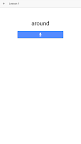
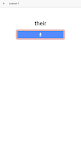
The student will be prompted with a word (text only). They need to press record and say the word out load. If they says the word correctly they will score a point.

The Lesson will only be playable if they previous lesson was passed with at least 2 start (75%).

As a Parent:

Guide your student to the correct grade level, such as Kindergarten,first grade, second grade, or third grade. This may be above or below their grade level at school. Encourage the student to focus on a single category until it is finished to improve the kids reading.

How To Create Lessons

You can create lessons by tapping on the "Create Lesson" button on the the home page. Enter the name of the lesson and then the words or phrases you wish to include in the lesson. Add a category if you wish, it will default to "Custom". Select a level for the child's lesson.

Screenshots

I'm not a robot

In order to block spam bots, we push you a notification with the following code. Please click on the notification to complete the verification.


Notifications may be slightly delayed, please wait a moment.

Or if your device is unable to receive notifications, you can also send us an email.

Tips:

Please allow [apkz.com] to show notifications. We will notify you as soon as the App is ready.

Um, Seems that the notification is not available.
Would you like to send requests and receive updates via email?

Tips:

After the download is successful, please use [APKZ App] to install it.


Unable to determine whether the file was saved successfully, please confirm it yourself before installing.

Tips:

Your browser is out of date and some features may not work properly, please change or upgrade your browser.


For a better user experience, it is recommended to use Google Chrome or Edge.

Tips:

If the download cannot be completed, please open this page in your browser.


For a better user experience, it is recommended to use Google Chrome or Edge.

Tips:

This App can only be installed on Android devices.