
You might like:


About this App
Pro PDF annotator & digital planner for study. Write on PDF & handwriting.
Jnotes is the professional AI-powered PDF annotator and handwriting app. Seamlessly write on PDF, organize study notes, and use our digital planner to elevate your paperless productivity on tablets.
✨ Why Jnotes? The best Goodnotes alternative for Android users!
Looking for the ultimate note-taking app for your Android tablet? 📝 Jnotes offers smooth stylus writing, AI-powered notes, PDF annotation and editing tools, handwriting recognition (OCR), and rich note formats. Start creating smart, organized, and beautiful digital notes today!
✏️ Smooth Digital Handwriting
• Customizable pen colors and thickness.
• Advanced digital ink technology ensures lag-free handwriting with stylus support.
• Draw mind maps, write naturally, and enjoy refined stylus compatibility.
• Handwriting Recognition (OCR): Search, edit, and export handwritten content effortlessly.
🤖 AI-Powered Notes & Summary
• AI Summary: Quickly generate accurate summaries of your notes.
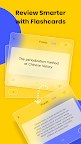
• AI Flashcards: Turn notes into interactive quizzes with AI highlighting key terms.
• AI Quizzes & Tests: Generate comprehensive quizzes (incl. single-select, multiple-choice, true/false, open-ended questions, case studies) for quick knowledge verification and gap identification.
• Multimodal AI Notes: Generate intelligent notes from documents (PDF, DOCX, PPTX, MD), media files (MP3, MP4, MOV), and images.
📄 PDF Annotation & Editing
• Import PDFs and annotate with a full toolkit.
• Add handwritten notes, comments, and highlights directly on PDFs.
• Multi-Window Support: Use multi-window reading and annotating.
• Convert, translate, copy-paste, and export PDFs easily.
🎨 Extensive Customization Options
• Switch between Dark Mode and Eye-Comfort Mode.
• Choose from various interface themes and styles for notebook personalization.
• Import custom fonts for unique, aesthetic notes.
📚 Rich Note Formats
• Vast Library: Tons of templates, covers, and stickers to make your notes pop.
• Powerful editing tools: stroke modification, auto-shape drawing, image insertion.
• Sync audio recordings with drawings and text for multimedia notes.
🗂️ Efficient Note Management
• Organize notes in multi-level folders.
• Quick search for typed or recognized handwritten content.
• Backup your notes locally for extra security.
Core Uses of Jnotes
🎓 For Students
• Use Cornell Notes templates for structured study notes, college work, and test prep.
• Turn long notes into easy-to-review summaries with AI Summary.
• Automatically create interactive flashcards using AI.
• Annotate, highlight, and write directly on PDFs with ease.
💼 For Professionals
• Grab templates for meeting notes, business reports, and project management.
• Record voice notes during meetings and sync them with handwritten or typed text.
• OCR instantly converts handwriting into searchable, editable text.
🖊️ For Journaling & Planning
• Use Jnotes as a daily planner, personal journal, or creative notebook.
• Enjoy realistic, lag-free handwriting with stylus input.
• Plan everything—from meals to workouts—or sketch your next big idea.
📌 How to Get Help / Stay Connected
📥 Email: Jnotes_offer@jideos.com (Include your Jnotes version, tablet model, screenshot/video, and issue description)
💬 Social Media:
- Instagram: @jnotesapp
- X: @Jnotes_official
- YouTube: @jnotes5711
🚀 Download Jnotes now and transform your Android tablet into the most powerful digital notebook today!
⭐ Loving Jnotes? We'd be thrilled if you left us a 5-star review on the Play Store! Your feedback helps us keep improving!