
You might like:


About this App
Expand your vocabulary, translate words & learn languages while reading ebooks
Parallel Translation of books: your ultimate language learning companion
Embark on a seamless language learning journey with the smart app, immersing yourself in your favorite books. Learning a new language has never been easier or more enjoyable. With access to exciting books at no cost, studying English or any other language will be a breeze. Parallel Translation accompanies you at every step, making language acquisition a seamless experience. Download free books online and let us help you master your language skills effortlessly.
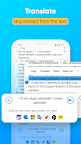
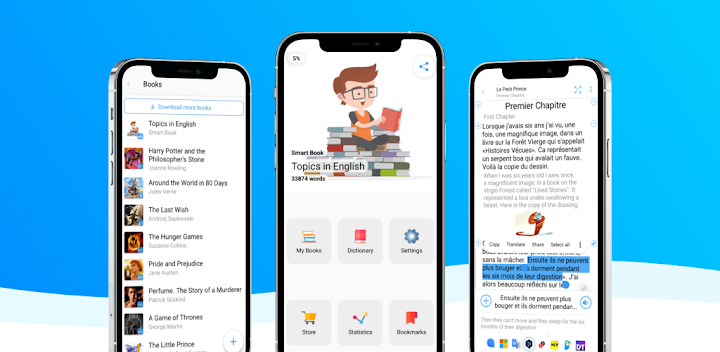
You can effortlessly translate any word or phrase with a tap with support for Google Translate, DeepL, Microsoft, Yandex, Reverso Context, Oxford Dictionaries, NLP Translation, Deep Translation, Papago, and even ChatGPT. Simply long-tap or double-tap on any section of text and translate it with the translation service that suits you. Say goodbye to the hassle of switching between apps or dictionaries – the app offers a one-stop solution for all your translation needs.
You can upload books and articles in English to the application. Add your books or find any literature in the app to read: English, French, German, Arabic, Spanish, Russian, and other foreign languages will become apparent to you!
Key Features:
Advanced Reading Experience: Enjoy reading ebooks in their original language while effortlessly accessing translations with a simple tap.
Versatile Translation Options: Choose from various translation services to suit your preferences and language learning goals.
Contextual Understanding: Explore word meanings in context; Reverso Context will show examples of sentences that use the word you tapped on. Save unfamiliar words for review, and expand your vocabulary effortlessly.
Audio Pronunciations: By tapping on the word, you can listen to the pronunciation of native speakers and improve your speaking and listening skills.
Support for different formats. The app has a fb2 and an epub reader:
The Fb2 reader will open any ebook, and you can translate and read it just as quickly.
Epub reader - will even open picture books.
Simple interface: the application's straightforward, user-friendly interface allows you to navigate quickly. All tabs are labeled with corresponding symbols.
Extensive Language Support: Learn languages ranging from English and Spanish to German, French, Chinese, and more. You can select the translation language in the settings.
Free Access to a Growing Library: Dive into a diverse range of free books and articles, with new titles added regularly.
Elevate your language learning experience with Parallel Translation – the ultimate companion for enthusiasts alike. Explore, study, and grow at your own pace, all within the pages of your favorite books. Install our app today and unlock the door to a deep world of linguistic adventure.