You might like:


About this App
App Lock, Hide App, Hitech Wallpaper, Folder, keyboards, Color themes, Widget
★ No advertisement in this app. No Ads ★
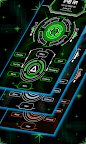
Introducing Circuit Launcher 2 Pro, a powerful and user-friendly application that offers a range of features such as AppLock, HideApp, Hitech Wallpaper, Folder, and Themes. This app is designed to enhance the style of your Android phone, giving it a futuristic and next-generation look.
With its clean and perfect user interface design, Circuit Launcher 2 Pro provides an easy and interactive control experience. It offers a wide array of wonderful and useful features, including a variety of color themes that allow you to personalize your phone with different styles.
App Lock:
Now you can lock your apps with a password directly from Circuit Launcher 2 Pro, eliminating the need for a separate app for app locking.
Hide App:
Using fingerprint authentication, you can hide specific apps from the app list.
Keyboard:
Choose from 50+ different hitech keyboard designs to give your phone a unique and futuristic touch.
Incredibly faster & smarter:
Circuit Launcher 2 Pro provides users extremely fast and smarter handling experience with simple and smooth user interface.
Elegant look:
With its colorful and beautiful themes, Circuit Launcher 2 Pro stands out as a stylish launcher. The themes are created with love and passion, allowing you to give your phone a new, fresh, ultimate, and virtual look.
Folder:
Effortlessly manage your apps using the folder feature in Circuit Launcher 2 Pro. Simply long-press on any icon to convert it into a folder and vice versa, organizing your apps in a better way.
Wallpaper:
Enjoy the Hi-tech wallpaper feature that adapts its color to match your chosen theme. You can also adjust the brightness of the wallpaper or apply your own images from the gallery.
Personalization:
Long-press on any app to personalize your phone further, allowing you to change apps according to your preferences.
Widgets:
Circuit Launcher 2 Pro offers a variety of useful widgets, including a clock, weather information, calendar, map, and battery widget, providing quick access to essential information.
Gesture:
With the added swipe up and swipe down gesture feature, Circuit Launcher 2 Pro gives you the flexibility to choose the action you want to perform with specific gestures.
Quick Search:
Access all your installed apps quickly by simply swiping down on the main screen to open the quick search feature.
Icon Pack:
Choose from two different icon packs in Circuit Launcher 2 Pro – a simple pack and a line icon pack. You can also customize the color of the icon packs to match your preferences. You can also apply icon pack of your choice as well.
Circuit Launcher 2 Pro is a fast and easy-to-use launcher for Android, designed with a future UI or next-generation UI style, with its extensive customization options. This app turns your Android phone into a futuristic launcher. It lets you say goodbye to outdated launchers and welcome the new and improved Inventive Launcher - AppLock, HideApp, Hitech Wallpaper, Folder, and Themes. With this app.