Featured Banner
Icon

Microsoft Translator

© Microsoft Corporation

4.3 96483301

Source: Google Play Store

Category: Productivity

Price: Free

Content Rating: for everyone

Requires: Android 10.0+

Released on: 2015-08-05

Last Updated: 2025-11-01

(The more people request, the faster it may be included)

☑ We will notify you as soon as the App is available. If you can't receive notifications, please check back often.

About this App

Translate text, voice, images, and conversations into 100+ languages
Need to communicate with someone who uses a different language? Microsoft Translator is here to help you break through language barriers and connect with people from around the globe.

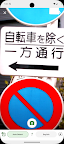
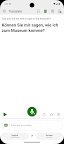
Microsoft Translator allows you to translate text, speech, images, and group conversations in over 100 languages - for free. Whether you’re traveling and need help understanding a menu or navigating unfamiliar streets, or you’re trying to communicate with a colleague at work or school, Microsoft Translator has you covered. Download it now and see how it can help you break language barriers, stay on top of group conversations by navigating easily within transcripts. With an intuitive interface and real-time accurate translations, Microsoft Translator makes it easier to communicate with confidence.

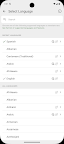
Don’t let language barriers hold you back. Download Microsoft Translator now and see how it can help you connect with people from different cultures and backgrounds. With support for over 100 languages (https://aka.ms/applanguages), you’ll be able to communicate with ease no matter where you are in the world.
Screenshots

I'm not a robot

In order to block spam bots, we push you a notification with the following code. Please click on the notification to complete the verification.


Notifications may be slightly delayed, please wait a moment.

Or if your device is unable to receive notifications, you can also send us an email.

Tips:

Please allow [apkz.com] to show notifications. We will notify you as soon as the App is ready.

Um, Seems that the notification is not available.
Would you like to send requests and receive updates via email?

Tips:

After the download is successful, please use [APKZ App] to install it.


Unable to determine whether the file was saved successfully, please confirm it yourself before installing.

Tips:

Your browser is out of date and some features may not work properly, please change or upgrade your browser.


For a better user experience, it is recommended to use Google Chrome or Edge.

Tips:

If the download cannot be completed, please open this page in your browser.


For a better user experience, it is recommended to use Google Chrome or Edge.

Tips:

This App can only be installed on Android devices.