You might like:


About this App
Manage your mobile data by tracking your data usage to avoid extra charges
MY DATA MANAGER: Take control of your mobile data plan!
My Data Manager is a complete mobile data tracker, monitoring your usage in real-time, so you know exactly which of your interfaces is active (mobile, Wi-Fi, roaming) and how much data you are using.
My Data Manager, by Sensor Tower, provides an ongoing record of your data usage, so you can know your limits, feel confident about your mobile data expenses and use your device whenever and
however you want.
Visualize, monitor and control your data usage for FREE with My Data Manager. It’s a simple and powerful data usage tracking app that helps users take control of their mobile
data and save money on their monthly phone bills. My Data Manager offers alerts for users to track how much data they use, spot which apps are consuming the most and receive
alerts before they run out, avoiding unnecessary overage fees.
Control your mobile data plans, understand your data usage, prevent rising mobile costs and avoid overage and roaming fees. My Data Manager allows you to do all this as well as
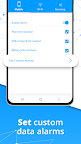
set custom usage alarms that avoid overage charges while you browse or the possibility of running out of data.
Instantly see which apps are using the most of your data and understand your usage today, download My Data Manager app now and see what a difference it makes.
With My Data Manager you can:
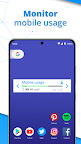
• Monitor your data usage on mobile, Wi-Fi and roaming
• Data Tracker: Find out fast which apps are eating up your mobile data
• Get alerts before you reach your data limit to avoid overage fees
• Manage mobile data plans for your entire family and save money on your phone bills
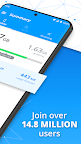
Trusted by over 14.8 million users worldwide, My Data Manager is an effective data tracker that also helps you monitor your data usage for mobile and roaming.
My Data Manager works well on networks around the world, including AT&T, Verizon, T-Mobile, Sprint, U.S. Cellular, China Mobile, Vodafone, Airtel, Vivo, TIM, Claro, Orange, SFR, SK Telecom, NTT Docomo, EE, O2, and many more.
Download My Data Manager for FREE now, take control of your mobile data usage and maximize how you use your phone.
“A data-packed app that’ll keep you fully informed of all your data-gobbling habits. It’s especially useful for people on limited data plans who want to avoid overage charges but is
still handy for people with unlimited plans who want to avoid throttling.” - Wired
“My Data Manager is an incredibly convenient tool.” – CNET
“Monitoring your data use has become an essential task ... which is why apps like My Data Manager are becoming so important.” – ZDNet
An app from data.ai
Trusted by more than 1 million users, data.ai is the leading global provider of mobile performance estimates. In short, we help app developers build better apps. With your consent, we collect information about your app and web activity to create market research on mobile behavior. For instance:
• Which apps & websites are used in your country?
• How many people use a specific app or website?
• How much time is spent on social networking?
• How many times per day is a specific app being used?
We do this with the help of this app.
My Data Manager is built by Sensor Tower.