Featured Banner
Icon

Mywellness for Professionals

© Technogym SpA

64932

Source: Google Play Store

Category: Health and Fitness

Price: Free

Content Rating: for everyone

Requires: Android 6.0+

Released on: 2018-09-17

This App is not yet included in [apkz.com]. You can click the button below to request.

(The more people request, the faster it may be included)

☑ We will notify you as soon as the App is available. If you can't receive notifications, please check back often.

About this App

Mywellness for Professionals streamlines daily tasks for gym staff.
Developed by Technogym, the Mywellness for Professionals mobile app was built for gym operators, personal trainers, physiotherapists, and staff working at fitness clubs, PT studios, corporate gyms, and similar facilities.
Whether you’re managing daily tasks, assigning workouts, or running group classes, the app gives you smart, intuitive tools that simplify your work and help you stay connected with clients—all right from your phone.

See who’s in
Receive real-time notifications when clients arrive to welcome them and encourage consistency.

Minimize churn
The advanced Drop Out Risk (DOR) algorithm flags clients at risk of leaving so you can take timely action and retain them.

Plan your schedule
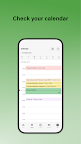
Schedule meetings, classes, and plan training sessions with the integrated calendar.

Assign training programs
Review client progress and create and assign training programs from the workout library.

Manage classes
Conduct group training sessions, monitor class attendance, view bookings, and confirm attendance.

Chat with clients
Use the in-app chat to coach clients, respond to their questions, and stay connected.

The Mywellness for Professionals mobile app was designed for operators and staff of facilities with a Mywellness CRM license. For more information, visit https://www.mywellness.com/staff-app.

Screenshots

I'm not a robot

In order to block spam bots, we push you a notification with the following code. Please click on the notification to complete the verification.


Notifications may be slightly delayed, please wait a moment.

Or if your device is unable to receive notifications, you can also send us an email.

Tips:

Please allow [apkz.com] to show notifications. We will notify you as soon as the App is ready.

Um, Seems that the notification is not available.
Would you like to send requests and receive updates via email?

Tips:

After the download is successful, please use [APKZ App] to install it.


Unable to determine whether the file was saved successfully, please confirm it yourself before installing.

Tips:

Your browser is out of date and some features may not work properly, please change or upgrade your browser.


For a better user experience, it is recommended to use Google Chrome or Edge.

Tips:

If the download cannot be completed, please open this page in your browser.


For a better user experience, it is recommended to use Google Chrome or Edge.

Tips:

This App can only be installed on Android devices.