You might like:


About this App
We should listen to music together!
A music playground full of fun things to do, play VIBE
A music app you can enjoy together, turning it into a karaoke room anytime, anywhere and listening to songs together and talking about them.
[Introduction to main features]
◼ New things to listen to for you, ‘audio’
A night of deep sleep with an artist, ‘Sleep Guide’
Invisible movies, thus more powerful ‘audio movies’
‘ASMR’ when you want to focus and need stability
A dreamy melody that feels like wandering in a dream, the artist's soft voice, 'Sleep Mix'
Please look forward to more diverse listening pleasures in the future.
◼ Party room to listen to music and chat together
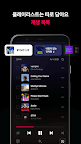
You can listen to songs in real time with other people and share your impressions with voice chat and emojis.
Listen to your favorite music together with people with the same tastes, such as acquaintances, friends, lovers, and fan cafes.
◼ Transform anywhere into a karaoke room
When you get bored just listening to your favorite songs every day, try using the karaoke function.
With one tap on the player, you can transform any place into a karaoke room.
◼ Player optimized for music apps
You can easily access karaoke, view lyrics, and party rooms with a single tap on the player, and the function grouping is well organized for convenience.
Any playlists that are played are separated from the song list, so they don't mix with the songs you choose to listen to.
Feel free to listen to the latest albums and recommended playlists in their entirety, and easily manage your playlists by putting only your favorite songs in the 'Songs' list.
◼ Automatic recommended playback to continue listening as you feel now
If you turn on automatic recommended playback, the song will be automatically selected and played continuously according to the genre or mood you were listening to.
If you find a song you like while listening, you can immediately add it to your playlist.
◼ Mixtape to listen to today
Every morning, we collect your favorite songs and make a mixtape. I also hid songs I thought I might like among my favorite songs.
[VIBE Official Channel]
◼ Tips for using VIBE: http://naver.me/xogE1G9t
◼ VIBE update news: http://naver.me/xogE1G9t
◼ Privacy Policy: http://policy.naver.com/policy-mobile/privacy.html
◼ Terms of Use: https://vibe.naver.com/inapp/terms
—
※ Supports Android Wear OS
- You can control songs playing in the VIBE app from your Android Wear OS device.
- To use it smoothly on a Wear OS device, you must be logged in to the VIBE app.
- A network connection is required to play on a Wear OS device alone.
※ To use the VIBE app smoothly, you must agree to the permissions below.
[Required permissions]
- Files and media (music and audio): Required to store content, including music, on the device, or view/play music stored on the device.
- Phone: Required to save music content on the device or check device information when playing saved music.
- Camera: Required to take photos to use as playlist cover images, profile images, etc.
- Microphone: Required to use music search, karaoke, and party room functions.
- Nearby devices: Required to connect to nearby devices such as Bluetooth watches and headsets. (starting with Android 12 and above)
- Notification: Required to receive notifications of important notices, events, and promotional information. (starting with Android 13 and above)
※ To use VIBE smoothly, Android 8.0 or higher is required.
※ For inquiries and suggestions during use, please use ‘VIBE App > Storage > Profile Settings > User Guide/Error Report’!
—
A separate fee will be charged when purchasing paid items.
Email inquiry: naver_market@naver.com