You might like:


About this App
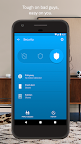
Your home in your hand
At Google Nest, we make products that are beautiful, helpful and easy to use. The Nest app is no exception.
Control your Nest thermostat, arm and disarm your Nest Secure alarm system, see your home with Nest Cam, and get an alert if Nest Protect goes off – all in one place. And receive notifications on your Android phone or tablet.
Nest uses sensors, algorithms, and the location of your phone to do the right thing automatically, turning off the heat and turning on the camera when you leave. Forget to set the alarm? It will notice, and send you a Remind Me alert.
Nest Learning Thermostat and Nest Thermostat E
Thermostats that program themselves to help you save energy.
- Change the temperature from the subway or the sofa using your phone.
- See how much energy you used, and why.
- View and edit your schedule.
- Get extreme temperature alerts before your home gets too cold.
Nest Secure alarm system
- Arm and disarm your home remotely from the app.
- Receive a Remind Me alert if you leave home and forget to set the alarm.
- Receive a security alert on your phone telling you what triggered the alarm – a door or window opening, or someone entering a room.
Nest Protect
The smoke and carbon monoxide alarm that thinks, speaks, and alerts your phone.
- Get an alert if Nest Protect senses smoke or carbon monoxide. (Requires Wi-Fi and a working internet connection.)
- Silence an alarm from your phone with App Silence. (Nest Protect 2nd gen only.)
- See the status of your batteries, sensors, and Wi-Fi connection.
- Run a Safety Checkup to test all your alarms at once. (Nest Protect 2nd gen only.)
- See your Safety History so you know when alerts happened and why.
Nest Cam IQ Indoor and Outdoor, Nest Cam Indoor, Nest Cam Outdoor, and Dropcam
The security cameras that let you see your home on your phone, inside and out.
- Get alerts when there’s activity, and talk back to get someone’s attention.
- See what you missed with snapshots of the last three hours.
- Check in 24/7 with crisp 1080p HD video (Nest Cam and Dropcam Pro only).
- Get person alerts (or familiar face alerts with Nest Cam IQ) and up to 30 days of video history when you subscribe to Nest Aware. (Subscription service sold separately.)
Nest Hello
Know who’s knocking.
- 24/7 video streaming means you’ll never miss a moment.
- Designed to show you everything at your doorstep – people head to toe, or packages on the ground.
- Knows the difference between a person and a thing.
- Notifies you about visitors, even if they don’t ring the bell.
- HD Talk and Listen lets you have a seamless conversation with someone at your door.
- When you can’t answer the door, quick responses let you reply to visitors with prerecorded audio messages.
Nest x Yale Lock
The lock for a more secure connected home.
- Instead of sharing keys, assign passcodes to people you trust in the Nest app.
- Get an alert when someone locks or unlocks the door.
- With Home/Away Assist and Auto-Lock, your door can lock itself when you leave.
Some features require a working internet connection, Wi-Fi, and/or Bluetooth.