You might like:


About this App
Nomad Music. Play music files, Ringtone Cutter, Tag Editor and more.
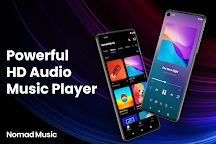
Nomad Music is the best music player, mp3 player for Android.
With a beautifully designed clean user interface and all popular formats supported (MP3, M4A, WAV, FLAC, OGG, ...), this app provides the best musical experience for you.
Browse all songs on your phone, listen to music without wifi. this music player is what you were looking for!
FEATURES
⭐ All popular formats supported
It's an offline music player that supports almost any audio file format you have. (MP3, M4A, WAV, FLAC, OGG, ...)
⭐ Music app without Internet
This offline music player plays songs without Wifi and the Internet. you can listen to songs on your device without the Internet.
⭐ Built-in Ringtone Audio Cutter
This mp3 player also provides the audio cutter for free.
Cut the best part of the songs with ease and set it as ringtone.
⭐ Dark mode and player themes
This mp3 player supports dark mode and player themes. More player themes are coming.
⭐ Custom Playlists
Collect your favorite songs and make your own playlist. It's very easy to add, delete, and modify.
⭐ Custom Filters
Hide unwanted files from the library with custom filters. this app supports hiding folders and filter tracks by minimum duration (duration filter).
⭐ Lyrics
View embedded lyrics while you're listening to music.
⭐ Sleep Timer
When you listen to music before going to bed, you can use the sleep timer to stop playing it automatically at any time.
⭐ 5-Band Equalizer & Bass Boost
You can adjust the sound to suit your taste using a 5-band equalizer and bass boost.
⭐ Chromecast-enabled
It's Chromecast-enabled, Play your tracks with the Chromecast device and the music player app.
⭐ Launcher Widget
You can easily control music playback through the launcher widget. Try to add the "Nomad Music" widget to your launcher.
⭐ No intrusive ads
This mp3 player application isn't an ad-free. but we don't display intrusive ads on core features, unlike today's many free apps.
⭐ Bluetooth and Headset support
This mp3 player will automatically pauses the play when Bluetooth or Headset is disconnected. and it automatically lowers the volume when you get a phone call.
⭐ Best free alternative for default music player
The beautifully designed user interface looks native to your device. This music player fits your everyday music listening even when you don't have a wifi or internet connection.
PERMISSIONS
- READ_EXTERNAL_STORAGE - Use to retrieve files from your device.
- WRITE_EXTERNAL_STORAGE - Use to edit tag information of mp3 files.
DISCLAIMER
- This app is a standalone offline music player (offline mp3 player).
- Chromecast is a trademark of Google LLC.
We listen to our users
If you are experiencing any issues or have comments and suggestions please contact us at nomad88.software@gmail.com!