You might like:


About this App
DJ - Be the Dj you always wanted to be with our 3D Dj Music Mixer in a 3D world
DiscDj 3D Music Player is a music player with a super cool 3D DJ user interface in a virtual 3D world where the Dj machine is floating in the virtual area. This virtual dj app supports Android 4.4+
Experience a music player in the form of a virtual DJ mixer app where you can use it to do the DJ work in a party
OR
Normally play continuous music where the dj shifts songs from one turntable / deck to another without any breaks
OR
You can use anyone of the two turntables / decks as a normal music player.
DiscDj 3D Music Player is a music player with the looks and a lot of features of a real DJ. Its hard to get precise control over it as the screens are small but hope you will enjoy the mini DJ mixer app.
Key Features:-
* 3D DJ user interface like a real dj machine where the virtual dj machine is flying and where you can move around the virtual dj machine for seeing its beauty from different angles by just scrolling. Lock and reset feature is available at the top-right corner of the screen to reset to the original position
* Discs with album arts
* Central control to play/pause next/previous both the discs
* Autofade ( Automatic Crossfade ) with adjustable timer & ON/OFF feature
* Button click fade – it's like autofade on clicking the buttons
* Manual song shift slider / crossfader
* Mixer with playlist, equalizer, volume controls and many features
* Browse and play your music by albums, artists, folders, composers, genres, playlists, songs, more advanced browsing like albums of particular artist & genre
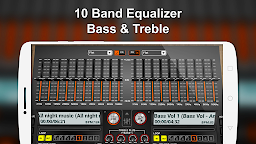
* First ever virtual dj app with 10 Band Equalizer - Under the Dj push-button-sliding, beautifully animated 10 Band Equalizer for Android 2.3+. 10 bands give you more precise control with more accuracy. 17 in-built presets in the equalizer - Classical, Club, Dance, Full Bass, Full Bass and Treble, Full Treble, Headphones, Large Hall, Live, Party, Pop, Reggae, Rock, Ska, Soft, Soft Rock & Techno
* Sampler Addon - 4 sets (Default, 808 Drum Kit, Drum Kit, Rise n Drop - each having 6 sound samples) with 3 modes of play - Play/Cut Play, Loop and Play/Stop
* Record - Record your performance / mixes / remixes / music with the record feature at the top-center of this dj app
* Pre-cueing / Pre-listening / Split Audio Output
* Pitch Slider
* Sound Effects / SFX
* Low Pass Filter & High Pass Filter
* BPM
* 4 Hot Cues per turntable / deck
* Loop features - In/Out, Seconds & Reloop/Exit
* Cue Buttons
* Play/Pause Next/Previous per turntable / deck
* Shuffle / Play All / Play Single