
You might like:


About this App
Retro digital watch face for Wear OS — stylish, smart, and functional.
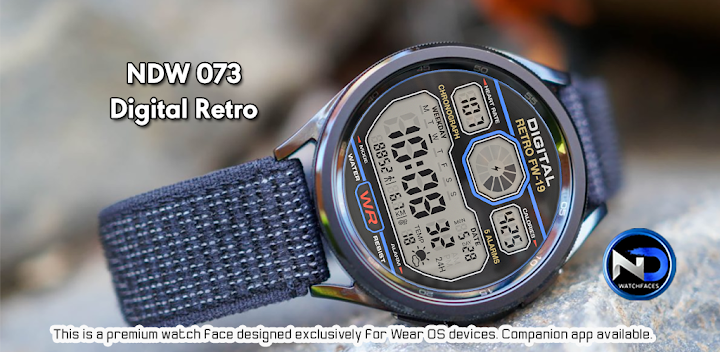
NDW73 Digital Retro Watch Face – Relive the Retro Vibes in Digital Style!
Bring back the charm of classic digital timepieces with the NDW73 watch face, now with a modern Wear OS twist! Designed with ultra-realistic retro aesthetics and practical functionality, this face is perfect for those who love vintage style without compromising on smart features.
✨ FEATURES
Step into the future while staying nostalgic. Here’s what you get:
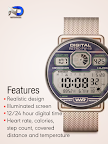
🕹️ Realistic Retro Design
Inspired by digital watches of the ’70s and ’80s – looks just like the real thing!
💡 Illuminated Display
Bright, clean screen simulation that mimics the glow of retro LCDs – even in the dark.
🕐 12/24 Hour Digital Time Format
Choose your preferred way to view the time.
❤️ Heart Rate Display
Shows your current heart rate as measured by your Wear OS watch sensor.
🔥 Calories
Displays calorie data provided by your Wear OS device.
👟 Step Count
See your daily step count directly on the watch face.
📏 Distance
Displays distance data synced from your watch.
🌡️ Current Temperature
Shows live temperature info provided by your watch’s weather source.
🔋 Optimized for Performance
Smooth operation with minimal battery impact, while keeping the retro look crisp and fluid.
📲 COMPATIBILITY & REQUIREMENTS
⚠️ This is a Wear OS watch face and requires Wear OS API 30+. It is not compatible with Tizen or HarmonyOS.
✅ Compatible with:
Samsung Galaxy Watch 4, 5, 6, 7 Series
TicWatch Pro 3/5, TicWatch E3
Fossil Gen 6 and other modern Wear OS 3+ devices
🔧 Installation Tips:
After installation, long-press your watch face, tap the customization icon, and personalize your setup via the Wear OS app or directly on the watch.
💬 Support & Feedback:
Love NDW73? Leave a review and share your retro vibes! For help, use the developer contact section.