Featured Banner
Icon

40 Wall Street

© View the Space, Inc. (Rise)

373

Source: Google Play Store

Category: Business

Price: Free

Content Rating: for everyone

Requires: Android 11+

Released on: 2021-10-10

This App is not yet included in [apkz.com]. You can click the button below to request.

(The more people request, the faster it may be included)

☑ We will notify you as soon as the App is available. If you can't receive notifications, please check back often.

About this App

Tenant Experience App
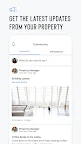
40 Wall Street takes pride in creating an optimal experience for our tenants. As the leader in luxury real estate and hospitality, our team delivers impeccable service at every turn, ensuring that your experience at 40 Wall Street is second to none. The 40 Wall Street Tenant Portal helps you work smarter and stay connected with intuitive processes and real-time status updates on your mobile device.

With the 40 Wall Street Tenant Portal, you can:

•Reserve Conference Rooms
•Submit Service Requests
•Check-in Visitors
•Receive Notifications
•Access additional benefits in the World of Trump

Download the 40 Wall Street Tenant Portal to streamline and enhance your workday.

Screenshots

I'm not a robot

In order to block spam bots, we push you a notification with the following code. Please click on the notification to complete the verification.


Notifications may be slightly delayed, please wait a moment.

Or if your device is unable to receive notifications, you can also send us an email.

Tips:

Please allow [apkz.com] to show notifications. We will notify you as soon as the App is ready.

Um, Seems that the notification is not available.
Would you like to send requests and receive updates via email?

Tips:

After the download is successful, please use [APKZ App] to install it.


Unable to determine whether the file was saved successfully, please confirm it yourself before installing.

Tips:

Your browser is out of date and some features may not work properly, please change or upgrade your browser.


For a better user experience, it is recommended to use Google Chrome or Edge.

Tips:

If the download cannot be completed, please open this page in your browser.


For a better user experience, it is recommended to use Google Chrome or Edge.

Tips:

This App can only be installed on Android devices.