You might like:


About this App
Photo shooting with camera Shoot: Manual exposure and pro photo shoot camera app
CAMERA SHOOT & FULL MANUAL EXPOSURE
The Shoot camera app presents a unique, powerful, clean and intuitive user interface for your next photo shoot; where everyone from beginner to professional photographer can enjoy applying full manual exposure settings, focal distance, white balance and output settings - like RAW photo shooting or low post processing modes - and clearly see what's currently configured. Camera Shoot will always give you full 'sensor output' photos, in highest quality and original/native aspect ratio, and leave all the cropping or retouching effects for your favorite post production editing tool.
STANDOUT CAMEAR SHOOT FEATURES
• Minimalistic, one-handed and easily overviewable pro photo shooting user experience
• Live histogram and overlay highlight clipping warning (helping you to avoid over exposure)
• Direct access to all camera lenses - in a fix focal length mirrorless/DSLR fashion (avoids digital zoom quality issues and sudden lens and viewpoint changes, and gives you full control over lens and sensor parameters impacting photo quality, exposure, depth of field, noise etc).
• Photo post processing is neutral, preparing your photos for editing and avoiding the over processed output of many other cameras (often HDR looking with unnatural shadows and highlights)
• Explore detailed technical information on your camera modules, sensors, lenses and firmware capabilities
• Additional to a RAW photo shooting pro mode, you can also choose a unique low post processing JPEG mode where edge sharpening and noise reduction algorithms are disabled (perfect for more advanced post processing)
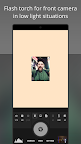
• Fill-in light/flash torch for front facing cameras in low light selfie situations
• Continuously updated and presented auto exposure details (exposure time/shutter speed, ISO sensitivity, aperture and focal distance)
• Very small camera app size
MORE FEATURES & DETAILS
• Full manual exposure settings: manual exposure time/manual shutter speed (shutter priority), manual ISO sensitivity and exposure compensation with fine exposure value (EV) steps
• Manual focusing (MF), with distance measurement and hyperfocal distance indication
• Manual white balance (MWB)
• Full auto/Point and shoot mode: auto exposure (AE), auto focusing (AF) and auto white balance (AWB)
• Single, timer and burst photo shooting drive modes
• High definition (HD) video recording with manual exposure settings, manual focusing and fill-in light/torch
• Automatic geotagging with GPS location
• Square framing grid for easier composition and leveling
• Hard to miss shutter button
• Touch anywhere slider for accessible pro camera features and manual settings
• Continuous focal distance indication for selected metering region
• Flash modes: auto flash, flash always off, flash always on, flash torch
• Automatically maximize screen brightness
Please note that the manual exposure time/manual shutter speed, manual ISO sensitivity, manual focusing and manual white balance pro camera app features are not supported by all phones (due to manufacturers not fully implementing the modern Android camera2 api). The Shoot camera app will however enable all the full manual camera features your phone does support!
Happy photo shooting!