You might like:


About this App
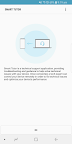
Smart Tutor is an easy, quick and safe means of consulting for Samsung devices
Description
Smart Tutor is an easy, quick and safe means of consulting for Android™ smart phone and tablet series. It can be used to diagnose your device remotely in order to optimize device performance and give functional advice.
Diagnoses can be requested for the following:
• Menu and feature inquiries
• New features advice
• Display settings and errors
• S/W upgrade and app update-related inquiries
• Device status diagnosis
How to get started
1. Download the "Smart Tutor" from Google play store and install on our Android device.
2. Make a phone call to the SAMSUNG Contact center. After agreeing "Terms and Conditions",
the phone number of contact center will be displayed.(Because it is depending on country)
3. Enter the 6 digits connection code given by a tech expert.
4. Once connected, a tech expert will diagnose your mobile.
5. If you want to terminate "Smart Tutor", please tap "Disconnect" menu.
Benefit
• Safety & Reliable
Don't worry about exposing our private information."Smart Tutor" restricts a tech expert
from accessing applications with customer's private information such as Gallery, Message,
e-mail and other throughout special features.
• Convenient & Easy
Provide remote support from our Android device quickly and easily if we can use 3G/4G or Wi-Fi.
• Features
Screen Share / Chat / Screen Lock / Application Lock
Requirement & Note
1. "Smart Tutor" works with Android OS(Above Android 6)
2. "Google Experience Device" is not supported such as "Galaxy Nexus"
3. Connection in 3G/4G Network will be chargeable according to your network data fee agreement with
your operator/Telecom. Before the connection, ensure to check Wi-Fi availability for free support