You might like:


About this App
All-around remote access & support solution for enterprises and individuals.
AirDroid Remote Support is an efficient solution for remote support and lightweight management.
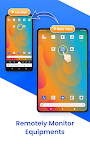
You can provide remote assistance in an intuitive way with real-time screen sharing, voice call, text message, tutorial gesture, AR camera, etc. Unattended devices in large numbers are also supported. In addition, an intelligent remote monitoring and management solution is provided.
Key Features:
Remote Control: Directly control the remote device during the help session.
Unattended Mode: Allow organizations to troubleshoot unattended devices.
Black Screen Mode: Hide the screen image of the remote device and display maintenance hints to keep the session private.
Real-time Screen Sharing: Share screen with your supporter to see the issue together. Pause anytime to protect privacy and data security.
Live Chat: Discuss complex problem with voice call, can also sent voice and text messages.
File Transfer: Able to send any required files through the chat window to give fast support.
AR Camera & 3D Markers: Allows you to see through the remote device camera and place 3D markers onto real-world objects.
Tutorial Gesture: Display on-screen gestures on the remote device and guide the on-site personnel to complete operations.
Permission & Device Management: Assign roles and permissions for support team members, monitor the status of devices on a list, and manage device groups.
Security & Privacy: Secure remote access with 256-bit AES and dynamic 9-digit codes. Disable or enforce functions to enhance security.
Quick Guide:
Business User:
1. Visit the official website (https://www.airdroid.com/remote-support-software/) and apply for a free trial.
2. Install AirDroid Business on the the supporter's Windows, macOS or mobile device where you wish to provide remote support.
3. Install AirDroid Remote Support on the supportee's mobile or Windows devices.
4. Initiate a support session with a 9-digit code or from the Device List.
Personal user:
1. Install AirMirror on the supporter's mobile device.
2. Install AirDroid Remote Support on the supportee's mobile device.
3. Get the 9-digit code showing in AirDroid Remote Support app.
4. Enter the 9-digital code in AirMirror and start your help session.