You might like:


About this App
A one-stop solution for everything
AirDroid is your best personal mobile device management suite, which is built on 10 years of non-stop improvements, including file transfer and management, screen mirroring, remote control, and receive SMS notifications right from your computer - all can be done with just one AirDroid app.
Major features:
1. Enjoy hyper-fast file transferring without limitations
You can use AirDroid to enjoy the incredibly fast file-transferring speed at 20MB/s, under both local and remote connections. Enjoy the uncompromising experience for productivity even when switching to Wi-Fi, 4G, or 5G network. The nearby feature also allows you to instantly and directly send photos & video files to your nearby friends, even without an account or internet connection.
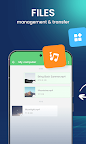
2. All-in-one file management
From the desktop client or the web client web.airdroid.com, you can check up and manage photos, videos, music, apps, storage, and more on your devices. You can even automatically sync and upload your photos & videos to your PC, that way you can not only save up your device's storage but also avoid the risk of having your privacy leaked.
3. Screen Mirroring
Mirror your Android devices to pc wirelessly so that you can share your screen with your students or partners. You can also stream your broadcast with AirDroid, to share your games or pictures with your audience more efficiently.
Screen mirroring doesn't require the phones and the computer to be on the same network. A practical solution for various scenarios.
4. Remote Control Android devices
You can take full control of your Android devices, without rooting your devices, just need to connect to the AirDroid PC client for a fast setting, to do whatever you want to do on your Android devices remotely, ex, play games, open an app, check the phone status.
Remote control for AirDroid is easy to set up and runs smoothly even if your device is on the other side of the globe.
*If you need to remote control an Android device from another Android device, you need to download AirMirror for the controller device.
5. Remote Monitoring
Make use of unused Android phones and have them be your eyes by using the remote camera feature. Monitor the device surroundings, or listen in on environmental sounds with One-Way Audio, so you don't need to stay on the screen at all times.
You can check in on newborns and pets or safeguard your home, all without spending extra on new cameras.
5. Notifications & SMS Management
AirDroid helps you focus on work by letting you manage the phone right from your computer.
You can receive and send texts, connect to headsets, enter or copy the phone number and make the call right from the computer. The Notification feature allows you to sync your phone's app notifications (such as WhatsApp, Line, and Facebook Messenger) to the computer, and you can directly reply to them on your desktop. Important messages are always up-to-date.
6. Make calls on PC
You can import phone numbers in bulk directly on the AirDroid desktop client, click to call, and talk to your customers or friends through the handset or Bluetooth headset of the phone. AirDroid helps you avoids the trouble of manually entering phone numbers on mobile phones and possible errors, and improves your efficiency.
FAQs:
Q: Do I have to register an account to use AirDroid?
A: With an AirDroid account, you can enjoy all the features under the local and remote connection. If you don't want to register, you can use AirDroid under the same wifi with limited features.
Q: Does AirDroid free to use?
A: You can use AirDroid for free under the local area network. When running under a non-local network, the free account has a 200MB/month data limit and cannot use the remote camera. We recommend that you upgrade to premium to enjoy unlimited remote data and unlock all functions and services.