
You might like:


About this App
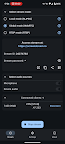
Secure one‑tap screen & audio share via WebRTC/MJPEG/RTSP to browsers/players.
ScreenStream turns any Android device into a live, open source screen & audio streamer that plays in any modern browser - no cables, no extensions. Perfect for presentations, remote assistance, teaching, or casual sharing.
Modes:
• Global (WebRTC) - worldwide, end-to-end encrypted WebRTC with password (video + audio).
• Local (MJPEG) - zero setup HTTP stream on your Wi-Fi/hotspot; PIN locked; works offline or online.
• RTSP - push H.265/H.264/AV1 video + OPUS/AAC/G.711 audio to your own media server.
Global (WebRTC)
• End-to-end encrypted, password-protected peer-to-peer stream
• Shares screen, microphone, and device audio
• Viewers join with Stream ID + password in any WebRTC-enabled browser
• Requires Internet; signaling handled by public open source server
• Audio/video flows directly between devices - Bandwidth grows per viewer
Local (MJPEG)
• Embedded HTTP server; works offline or online over Wi-Fi, hotspot, or USB‑tether
• Sends screen as independent JPEG images (video only)
• Optional 4‑digit PIN; no encryption
• IPv4 / IPv6 support; crop, resize, rotate, & more
• Each viewer gets a separate image stream - more viewers require more bandwidth
RTSP
• Streams H.265/H.264/AV1 video + OPUS/AAC/G.711 audio to an external RTSP server
• Optional Basic Auth & TLS (RTSPS)
• Works over Wi-Fi or cellular, IPv4 & IPv6
• Compatible with VLC, FFmpeg, OBS, MediaMTX, and other RTSP clients
• You provide the RTSP‑capable server for distribution
Popular use cases
• Remote support & troubleshooting
• Live presentations or demos
• Distance learning & tutoring
• Casual game sharing
Good to know
• Requires Android 6.0+ (uses the standard MediaProjection API)
• High data usage on mobile - prefer Wi‑Fi
• 100 % open source under the MIT License