You might like:


![[N-SPORT397]DigitalLarge Clock 's icon](https://img.apkz.com/gpi/EqpBLtxEMTLXXn8RNj7BlIiD2LAs6fXkOrhujgUjXbmfQUEsrW9eAxtU-ZDRzO8RayrnC1QOWxbZiLuVnsrajwk?w=96)

About this App
Hybrid weather watch face with dynamic background, colors & customization.
Give your Wear OS smartwatch a stylish hybrid upgrade with the Pixel Weather 4 Watch Face — blending bold digital time with analog elements and live weather-powered visuals. The standout feature? A Dynamic Weather Hours background that updates automatically based on current weather conditions, giving your watch a fresh and functional look all day.
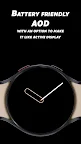
Customize everything—from 30 vibrant color themes, 4 analog watch hand styles, and 3 seconds styles to the ability to toggle shadows and fine-tune your layout. The watch face supports 12/24-hour formats and features a battery-friendly Always-On Display (AOD) with an option to make it resemble the active screen for a more immersive look.
Key Features
🌦️ Dynamic Weather Hours Background – Background of hours changes based on live weather.
⌚ 4 Watch Hand Styles – Add analog hands for a personalized hybrid display.
⏱️ 3 Seconds Styles – Choose how you want seconds displayed.
🌑 Optional Shadows – Turn shadows on or off to match your preferred visual style.
🎨 30 Color Options – Customize to match your outfit, vibe, or weather.
🕒 12/24-Hour Format Support.
🔋 Battery-Friendly AOD – Power-efficient always-on mode with optional active-style look.
Download Pixel Weather 4 now and enjoy a smart, stylish, and weather-aware hybrid watch face built for Wear OS.