
You might like:


About this App
Network coverage map, Internet & WiFi, signal & video streaming speed test
Opensignal is a free to use, advert free mobile connectivity and network signal speed test app.
Speed test for mobile and Wifi internet
Opensignal speed tests measure your mobile connectivity and signal strength. Opensignal runs a 5 second download test, 5 second upload test and a ping test to provide a consistently accurate measurement of the internet speed you will likely experience. The speed test runs on common internet CDN servers. The internet speed result is calculated with the middle range of samples.
Video playback test
Slow video load time? Video buffering? More time waiting than watching? Opensignal’s video test plays a 15 sec video snippet to test and log load time, buffering, and playback speed issues in real-time to show you exactly what to expect with HD and SD videos on your network.
Connectivity and speed test coverage map
Always know where to find the best coverage and fastest speeds with Opensignal’s network coverage map. The map shows signal strength down to street level using speed test and signal data from local users. With network stats on local network operators, you can check coverage ahead of a trip, check the internet and download strength in remote areas, compare your network to other providers in the area, arrange the best local SIM.
Cell tower compass
The cell tower compass allows you to see which direction the closest or strongest signal is coming from, enabling you to more accurately use broadband and signal boosting technology.
Note: The cell tower compass uses aggregate data and accuracy issues can occur in certain areas. We’re striving to improve this feature and thank you for your patience.
Connection availability stats
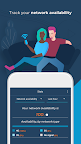
Opensignal records the time you’ve spent on 3G, 4G, 5G, WiFi or had no signal at all. This allows you to see where you are getting the service you’re paying for from your network provider. If not, use this data and the individual speed tests to highlight connectivity and signal issues to your mobile network operator.
About Opensignal
We provide an independent source of truth in mobile network experience: A data source that shows how users experience mobile network speeds, gaming, video and voice services worldwide.
To do this, we collect anonymised data on the signal strength, network, location and other device sensors. You can stop this at any time in the settings. We share this data with network operators globally and others in the industry to drive better connectivity for all.
We encourage you to read our Privacy Policy: https://www.opensignal.com/privacy-policy-apps-connectivity-assistant
CCPA
Do Not Sell My Info: https://www.opensignal.com/ccpa
Permissions
LOCATION: Speed tests appear on a map and also let you contribute to network stats and network coverage maps.
TELEPHONE: To get more accurate data on dual SIM devices.