You might like:


About this App
Easy to use Notepad, To-Do lists, Reminders, Calendar, Recording & Hand-drawn.
The notepad must be on your phone. Cute Notes help you arrange, organize, and simplify your life, work, or homemaking. It also combines features such as a Calendar, to-do list, and weather to help you manage it all in one place.
Cute Notes is not only easy to use but also super cute to help you have a relaxing and comfortable moment when using the application. It also helps form good habits of taking notes on things and organizing your life better.
This app comes with an aftercall feature, giving you the ability to, among other things, access your calendar, create a note, a todo item, a voice note etc. after each phone call, so you never forget to schedule an appointment or forget anything while your memory is still fresh. It also gives you an overview of your upcoming events and tasks.
Cute Notes has almost a whole range of features from basic to advanced. You can use it in any situation such as:
- Work notes : Take work or meeting notes with file attachment (everything), meeting recording and interpreting it
- Housewife or childcare chores or weekly meal planning: the calendar, to-do list, and shopping list feature makes it easy to check and execute.
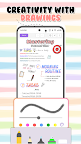
- Study notes with handwriting, drawing, and stickers like a real study notebook
Detailed features will be listed below:
1. Notes
- Write or handwrite your ideas.
- Draw and attach stickers with +500 Stickers.
- Recording and interpretation of the recording.
- Clip your favorite article or website to save to notes quickly
- Attach photos, documents, business cards, etc.
- Decorate your Notes with +100 Background Effect
- Split by category, a reminder
- Print PDF
- Highlight, change the font
2. To-do List
- Plan tasks by day, week, month
- Task reminder notifications
- Statistics and reminders of unfinished tasks
- Division of tasks with colors
3. Calendar
- Sync with Google Calendar
- View in multiple Modes Day, Month, Year
- Smart reminder of events
- Remind by Alarm of important events
- Create a Countdown of important events
- Decorate the calendar with +10 Background Effect
- Create your calendar with your images
4. Weather Features
- See the weather right on the calendar to make your significant day perfect
5. Widget: more than 7 types of widgets Notes, Monthly Calendar, Calendar Day, To-do list
6. Backup and sync with all your devices (Android)
7. Private lock helps you protect your privacy
8. Dark mode
Your privacy comes first. All your data is saved on your machine and no need to log in to the account when using the application. When deleting the application, all data will be lost unless backed up.
If you want to back up or sync data with multiple devices, use the backup & sync data feature through Google Driver. And this feature needs a VIP upgrade.
Leave lots of reviews to get to know you better. Thereby increasingly improving the product that serves you best.