Featured Banner
Icon

Thanksgiving Day Watch Face

© Talex Watch Faces

3.2 2131

Source: Google Play Store

Category: Personalization

Price: USD 0.99

Content Rating: for everyone

Requires: Android 1.0+

Released on: 2022-09-15

[apkz.com] do not include Paid App , please go to Google Play to buy it.

(The more people request, the faster it may be included)

☑ We will notify you as soon as the App is available. If you can't receive notifications, please check back often.

About this App

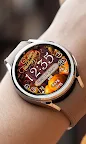
Watch face designed for Thanksgiving Day. 7 Background Styles included.
INSTALLATION HELPER:
1. Once you purchased a Watch Face please allow about 10-15 minutes for syncronization between google store and watch device.
2. IF new WF doesn't appear on your Watch automatically please try the following: long tap to the watch screen > swipe through the list of your watch faces till its End > tap + (plus) > another list would open. Please check it totally, your Newly bought Watch face should be there.

Watch face for Wear OS especially designed for Thanksgiving Day.
12/24 Digital time HH:MM (AUTO-sync with your Phone time)
No leading '0' in HH of 12hr time mode.
7 BG Themes. Easy way to select the one you prefer Check our Themes screen for more details.
The face includes a Set of the useful Widgets and Shortcuts.
Active mode FEATURES
- 12/24 Digital time HH:MM (auto-sync with your phone time)
- No leading '0' in HH of 12hr time
- Day of Week/Date/Month
- Battery %
- Step counter
- SHealth Steps Shortcut
- 7 BG Themes - easy to change
- Heart Rate + Shortcut to Heart Rate app


Always-On FEATURES

- 12/24 Digital time HH:MM
- Day of Week/Date/Month
- Battery %

Please find more details on our Features graphics.
PLEASE email us if you need help on installation.
Screenshots

I'm not a robot

In order to block spam bots, we push you a notification with the following code. Please click on the notification to complete the verification.


Notifications may be slightly delayed, please wait a moment.

Or if your device is unable to receive notifications, you can also send us an email.

Tips:

Please allow [apkz.com] to show notifications. We will notify you as soon as the App is ready.

Um, Seems that the notification is not available.
Would you like to send requests and receive updates via email?

Tips:

After the download is successful, please use [APKZ App] to install it.


Unable to determine whether the file was saved successfully, please confirm it yourself before installing.

Tips:

Your browser is out of date and some features may not work properly, please change or upgrade your browser.


For a better user experience, it is recommended to use Google Chrome or Edge.

Tips:

If the download cannot be completed, please open this page in your browser.


For a better user experience, it is recommended to use Google Chrome or Edge.

Tips:

This App can only be installed on Android devices.