You might like:


About this App
Blur photo editor with mosaique effect and motion blur
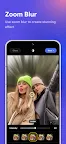
Blur Photo is the perfect censor photo app for blur background and picture blur. With advanced blur image and blur background, you can create photo mosaic, censor photo, add motion blur and even face blur.
Blur Photo is a great picture blur tool to make blur image. It offers various blur effect for dramatic motion blur, photo mosaic, bokeh effect or tilt shift lens. You can blur background, face blur or censor photo with one click. Picture blur to adjust blur effect intensity with complete control over blur photo selection to select the area to picture blur or blur background.
Blur Photo also features picture blur tools for photo mosaic, tilt shift lens or face blur your photo. It provides multiple blur effect to make them eye-catching.
Powerful blur image to blur background and face blur. Save your blur photo in high-resolution and share with friends and family.
Features of Blur Photo
- Blur Background : Automatically blur background
- Blur Effect : Provide unique blur effect (motion blur, photo mosaic, bokeh effect,...)
- Face blur and censor photo with one touch
- Tilt shift lens for powerful depth-of-field editing
- Custom picture blur intensity & size
- Crop and rotate blur image
- High-resolution blur photo saving.
Blur Photo is an amazing blur background app to picture blur photos. You can also use blur image tools to censor photo or create stunning blur effect like motion blur, photo mosaic or bokeh effect. Give your censor photo a unique look. Blur Photo intuitive design makes it easy to censor photo where you want and adjust the intensity of blur effect.