
You might like:


About this App
Music player with equalizer, themes, lyrics & music cutter.
Intuitive, user-friendly and countless music player features from standard to high-end are what Music player has made a strong impression on users since the very first days of its release.
Download Music player to scan and play music with amazing sound quality of all popular audio formats like mp3, wav, flac, acc etc. With Music player - Mp3 player media player, it's very easy for you to listen to all the songs in your phone by folder, album, artist, genre. In particular, this free music app also allows you to create your own playlists so that you can freely enjoy your favorite songs.
With Music player - Mp3 player, you can easily manage your songs like search, sort playlists and tons of cool customizations of a professional music player like shuffle, repeat, add picture for song, cut music, make ringtones, sleep timer mode.
Lyrics. The application supports powerful song search, automatically displays the corresponding results and easily adds and edits lyrics offline.
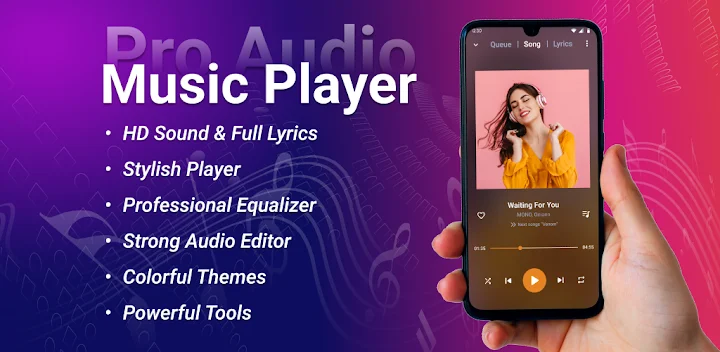
Besides, application to listen to music - music player also has many useful features such as a powerful equalizer with 5 frequency band with bass feature and virtualization function, audio fade in transition, custom audio output according to music genres as well as integrating many beautiful color themes, wallpaper options from photos and change flexible interface will enhance your music listening experience.
Main features:
- Free-music can quick scan, find and display all the songs on your phone.
- Free offline music player supports all the most popular music file formats: mp3, wma, wav, flac, aiff, aac…
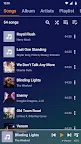
- Free music app can scan and play music by album, artist, song, playlist, folder.
- Free offline music player, mp3 player, audio player can browse and listen to audio books
- Create playlists and add songs to listen to music
- Free music player can play music by favorite playlist, most played list, recent playlist
- Professional 5-band powerful equalizer
- Offline music-player can play music in the background
- Music player supports headphone and bluetooth
- Preset your music style (Normal, Classic, Dance, Flat, Folk, Heavy Metal, Hip hop, Jazz, Pop, Rock...)
- Manage songs easily, search, delete, share songs
- Free-music can play music in sequence, shuffle, repeat
- Free offline music player supports features editing lyrics, edit audio
- Change avatars for songs, playlists, folders, artists, albums, genres
- Integrate a variety of music playing themes by color, optional album wallpapers, gradients
- Music player application that supports setting phone ringtones
- Option to display as list or grid
- The free music player application supports timer to play music, rewind music at will
- Free music app can shake phone to change song
In addition, this music app can listen to music from device. You can easily listen to music from the app.
What are you waiting for, download Music player to listen to top-notch music to your phone and experience it together. A great application for moments of entertainment after school or stressful work.
Music is endless, download Music player - Mp3 player to enjoy free mp3 music player anytime, anywhere, listening to music is extremely convenient. Loads of great music features and free powerful equalizer make Music player the perfect replacement for the default music player.