You might like:


About this App
Create, edit & share PDF documents using Doc Scanner easily!
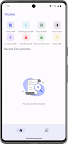
Doc Scanner: Create & Edit PDF is document scanner app that offers you with advanced document scanner and lots of options to edit and enhance your documents easily. Doc Scanner is a portable Document Scanner that lets you scan your documents anywhere anytime on the go easily and makes document creation a fun activity.
Doc Scanner: Create & Edit PDF is a perfect smart app for students, professionals, and anyone else who needs to work with PDF files on their Android device. It is easy to use, yet powerful enough to meet the needs of even the most demanding users.
What you can do with this Document Scanner App:
With Doc Scanner: Create & Edit PDF you can convert your .png, .jpg, .jpeg Image files from gallery or images scanned using camera into PDF files, compress your PDF files, crop images, merge PDFs, password protect your PDF and do a lot more within this single app.
Doc Scanner without limit:
Doc Scanner: Create & Edit PDF has no limit on the number of documents you create, or do not have any limits on number of pages, images or size of your documents.
Features:
- Easy and user friendly PDF document scanner.
- Real time border detection and easy auto cropping feature.
- Edit PDF images: Import PDFs and add, remove, and edit images in PDF files.
- Merge multiple PDF files for easy access.
- Compress PDF for reducing PDF file size and for easy sharing.
- Add filters to make your documents look professional.
- Protect PDF files with passwords.
Download Doc Scanner today and start editing your PDF files on the go!