You might like:


About this App
Downloader, Status saver, Private, Fast & data-saving
Phoenix is a fast and safe web browser for your Android device, with main features like Downloading, News Browsing and Immersive Video Watching
✪Main features✪
Phoenix browser loads your webpages 2x faster, saves 90% of your data, and enables smooth browsing in a slow network. You can download all-format videos and social media content at a lightning speed.
★Fast Browsing and Downloads: Access websites, download multiple files (videos, audio, documents and more) with the speed of light. Download online videos easily from lots of websites: Facebook、Instagram and etc.
★Smart Video Downloader and Video Player: Automatically detects videos from any website for you to download in one click. Optimized video player for the best watching experience.
★WhatsApp Status Saver plugin: Save your friends whatsapp status easily and safely.
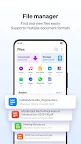
★Powerful File Manager
Easily WhatsApp status saving and powerful file manager. Support more than 50 file formats, such as word, excel, ppt, pdf, etc.
★Ad Block: Block annoying adverts and popups, save time and increase loading speed.
★Data Saver: Stream movies, download files, browse more with less data on any website.
Features:
★Super Downloader
Phoenix Browser can automatically detect downloadable videos with the smart detection function while you browse the web, which allows you to download and save online videos from almost every website. You can also download through BitTorrent and Magnet. With a download icon in the website, Phoenix Browser will inform the user whether there are online videos that the user can download or not. It’s very simple to download videos by using the smart download function. (!!!Download on YouTube is not available due to the policy of Google!!!)
★Incognito Browsing
Incognito tab makes your browsing experience perfectly private without leaving any history, cookies, cache, etc.
★Ad Block
Ad Block blocks various forms of annoying ads, pop-ups and banners to make your browsing comfortable. It not only speeds up the page loading speed but also reduces Internet data usage.
★Bookmarks/History
Bookmarks help save your favorite websites and provide quick navigation for revisiting later on. History list helps with recollection. Both will save you time looking for your favorite websites.
★Data Saving
Phoenix Browser could compress data, speed up navigation and help you save a lot of cellular data traffic.
★Add To Shortcut
Add your favorite websites like Facebook, Twitter, Instagram, YouTube, Amazon, Wikipedia, etc., for quick access.
★Built-in Video Player
The built-in video player provides a one-stop service from video downloading to video playing. You can watch videos directly without exiting the app.
★Search Engines
Switch search engines according to your preference. We support Google, Yahoo, Ask, Yandex, AOL, DuckDuckGo and Bing.
★Multi-Tab Manager
Easy switching of pages from multiple websites. Using a multi-tab manager will make your browsing experience smoother.
★Switch to PC Website: Support cross-device browsing
Facebook Fan Page
https://www.facebook.com/PhoenixBrowser/
NOTE: Phoenix will not access permissions that are irrelevant to our feature.
By accessing All Files Access Permission(MANAGE_EXTERNAL_STORAGE), Phoenix can help to manage all files,videos and photos on your mobile phones for a better file browsing experience.
Phoenix would never upload any user information.